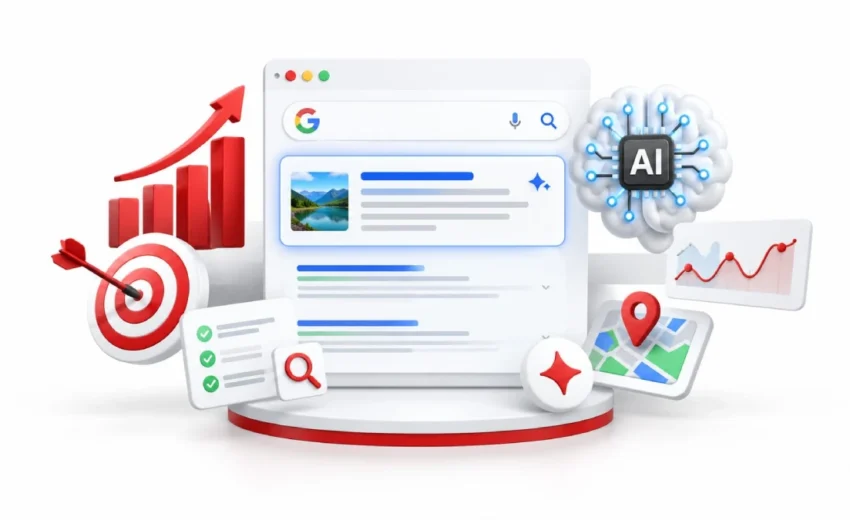
Optimizing for Google AI Overviews means doing normal SEO well. Google confirmed in May 2026 that no extra requirements exist. Your page must be indexed and able to show a snippet. Focus on technical basics, original content, and updated business listings.
Google AI Overviews now appear on around half of all searches. Your rankings held steady. Your clicks did not. That gap is why you are here.
So you tried the fixes everyone recommends. Schema on every page. An llms.txt file. Content chopped into small blocks. Google ignores all three. Weeks of work, no result.
Here is what actually matters. You will learn how Google picks its sources, which tactics to drop, and how to find your affected pages in Search Console.
Key Points
- Google AI Overviews are AI-written summaries at the top of search results. They now appear on around half of all searches and reach over 2.5 billion monthly users.
- There is no separate AI ranking system. Your page only needs to be indexed and allowed to show a snippet. Google confirmed no extra requirements exist.
- You can get cited without ranking first. Ahrefs found only 37% of citations came from the organic top 10, down from 76% in mid-2025.
- Three things actually work: clean technical basics, content nobody else could have written, and accurate Google Business Profile details.
- Five popular tactics do nothing. Skip llms.txt files, content chunking, rewriting for AI, bought brand mentions, and special AI schema.
- Track it in the Search Console. Pages with steady impressions but falling clicks are the ones losing traffic to a summary above them.
What Are Google AI Overviews?
Google AI Overviews are AI-written summaries that appear at the top of the search results page. Google’s Gemini models pull information from several websites and combine it into one answer. Each summary includes link cards pointing back to the sources it used.
They don’t appear on every search. Simple searches like “Facebook login” usually skip them. Longer questions like “how much does water heater repair cost” often trigger one. At Google I/O in May 2026, Google reported over 2.5 billion monthly users for AI Overviews.
What Happened to SGE and AI Mode?
SGE was the old name, and Google retired it in May 2024 when it became AI Overviews. AI Mode launched later as a conversational space for follow-up questions. In May 2026, Google merged the two into one AI Search experience, so both now run on the same index and ranking systems.
How Google Chooses Which Sites to Cite
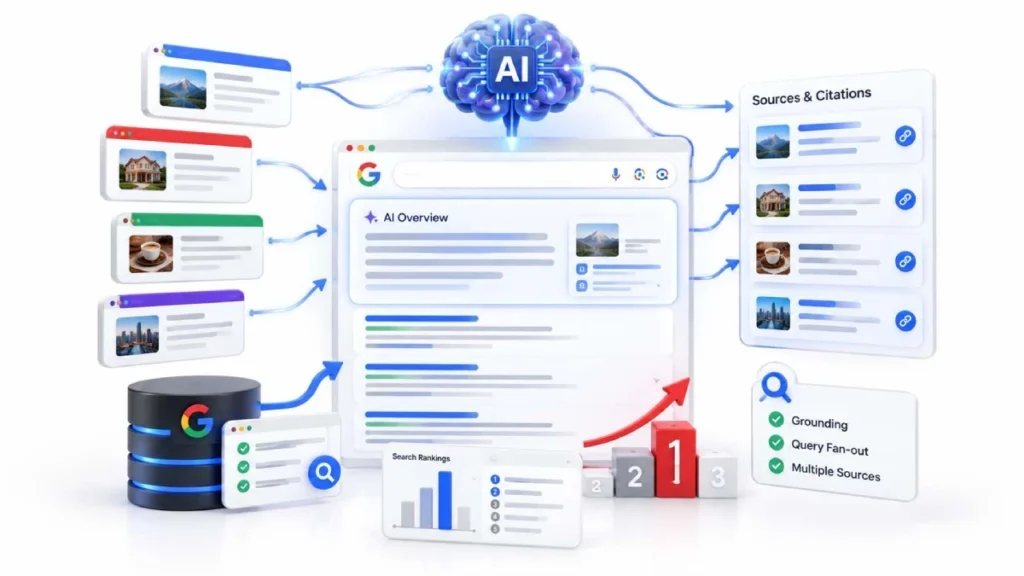
Google picks sources using the same ranking systems that already run normal search. There is no separate AI index and no special tag to add.Your page only needs to be indexed and eligible to show a snippet. No other requirement applies.
Two mechanics sit behind this. Grounding means Gemini pulls real pages from Google’s index and checks its answer against them. Query fan-out means Google runs several related searches behind your single question, then gathers sources from all of them.
You do not need to rank first, or even on page one.An Ahrefs study of 863,000 search pages found only 37% of citations came from the org anic top 10, down from 76% in mid-2025.
Ranking still helps, but it is no longer the only path to visibility. Google can also cite pages that rank on pages two or three. Google also cites Reddit threads, YouTube videos, and Wikipedia pages, not just traditional websites.
How to Optimize for Google AI Overviews
Google says there is no special work required, so optimizing for Google AI Overviews means doing normal SEO well. Its May 2026 documentation states plainly that no extra requirements exist. The three areas below are where that effort actually pays off.
Start with the boring one. If Google cannot read your page, nothing else matters. Then focus on content nobody else could have written, and keep your business listings accurate.
Fix Your Technical Basics
Your page must be crawlable, indexed, and able to show a snippet. Check that robots.txt, your hosting, and your CDN all allow Googlebot through. Make sure no noindex tag sits on pages you want found.
Keep your main answers in the HTML, not hidden behind JavaScript. Also fix slow load times and broken internal links. Search Console flags most of these problems for free.
Write What Only You Can Write
Google favours what it calls non-commodity content, meaning material that could not have come from anyone. A generic “7 tips” post repeats what already exists. Your own prices, job photos, and customer situations do not.
For a plumber, that means real repair costs in your city. For a clinic, real patient questions you answer weekly. Add named quotes and recent numbers, and link out to your sources.
Keep Your Business Details Updated
Google pulls local and product answers straight from Google Business Profile and Merchant Center. Keep your hours, address, phone number, and service areas correct. Google reads your reviews and owner replies to build local comparisons.
Shops should keep Merchant Center feeds current on price, stock, and shipping. Videos help too. Google reads YouTube down to specific timestamps, so transcripts and chapter markers matter.
What You Can Safely Ignore
Google named five popular tactics you do not need, and llms.txt sits at the top of the list. Its May 2026 guide says Google Search ignores these files completely. Creating one will not help you or hurt you.
The rest of the list is just as useful, because agencies still charge for all of it.
| Tactic | What Google says |
| llms.txt files | Google Search ignores them |
| Chunking content into small pieces | Not required, no ideal page length |
| Rewriting content for AI | Not needed, AI understands synonyms |
| Buying brand mentions | Spam systems block them |
| Special AI schema markup | No such schema exists |
Structured data still helps you earn rich results, so keep using it. However, Google does not require structured data for AI Overviews.
Also skip building a page for every question variation. Google calls that scaled content abuse. Google adds that AEO and GEO describe work that is still SEO. So ask any agency selling a “GEO package” which parts actually differ.
How to Check If You Appear in AI Overviews
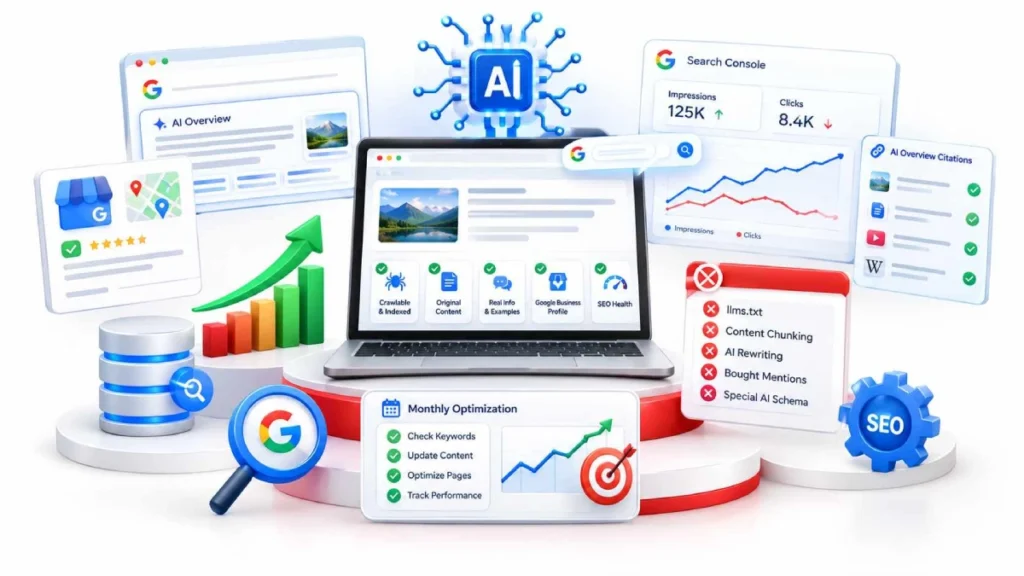
Google Search Console is the free, official place to check, using its Generative AI performance report. It shows how your pages perform inside AI features. Regular AI Overview clicks and impressions also sit inside your normal Search performance data.
Start with one simple check. Sort your pages by impressions, then look for ones where clicks are falling. Those pages are usually the ones losing traffic to a summary above them.
Two things to keep in mind:
- Impressions only count when the citation card scrolls into view. If a user reads the summary and leaves, nothing registers.
- Third-party tools like Semrush, Ahrefs, and SE Ranking help, but they only estimate. Google confirms no outside tool can see its internal systems.
You can also check by hand. Open an incognito window, set your location, and search your target terms. Track whether Google shows a summary and which sources it cites.
Do this monthly for your top 10 keywords. It takes about an hour. Citations rotate often, so one check tells you little. A few months of notes tells you plenty.
Where to Start When You Only Have a Few Hours
Start in Search Console, find your five best pages, and improve those first. Do not touch your whole site. Most businesses see the biggest drop on a small group of informational pages.
Here is a simple order of work:
- Open Search Console and sort by impressions. Pick the five pages with steady impressions and falling clicks.
- Check those pages are crawlable. Confirm robots.txt, your host, and your CDN allow Googlebot through.
- Add something only you own. One real price, one job example, or one customer question you answer weekly.
- Update your Google Business Profile. Fix hours, phone number, address, and service areas.
- Stop paying for the myth list. No llms.txt, no AI schema, no bought mentions.
That first round takes about three hours. Steps 2 and 4 are the fastest wins, and both are free.
Then wait. Google needs time to recrawl your pages, and citations rotate often. Check again after a month before changing anything else.
One warning. If your site has crawl errors or thin service pages, fix those first. No amount of work on Google AI Overviews will rescue a page Google cannot read properly.
FAQs
Can I block my content from AI Overviews?
There is no AI Overviews-only opt-out. You can limit appearance using nosnippet, data-nosnippet, max-snippet, or noindex, but each one also reduces your normal search visibility.
Does blocking Google-Extended remove me from AI Overviews?
No, Google-Extended controls AI training and grounding in other Google systems, not Search, so your pages can still be cited inside AI Overviews.
Does Google need my page to rank first before it cites it?
No, Ahrefs found only 37% of AI Overview citations came from the organic top 10, and BrightEdge puts that overlap closer to 17%.
Is schema markup required for AI Overviews?
No, Google states there is no special schema needed for AI features. Structured data remains worth keeping because it still qualifies you for rich results.
What happens if I do nothing about AI Overviews?
Informational pages lose clicks first, while service, pricing, and local pages hold up better. Your content stays eligible for citation, but competitors publishing stronger material will be cited instead.
Will AI Overviews replace websites?
No, AI Overviews depend on crawlable web pages for grounding, and Google links to sources throughout every response. The visibility model shifts toward citation rather than disappearing.
Conclusion:
Google AI Overviews changed where your visibility sits, not the work behind it. Google’s ranking systems still decide which pages it cites. Your page needs to be crawlable, indexed, and able to show a snippet. Page-one rankings help, but Google also cites pages that rank lower in the results.
What separates a cited page is content nobody else could have written: your prices, your job examples, your customer questions. Skip the llms.txt files, AI schema, and bought mentions Google already called unnecessary. Track the rest in Search Console, and give Google time to recrawl before judging results.
Open Search Console today, pull your top five pages by impressions, and add one thing to each that only your business could say.

6 October 2026