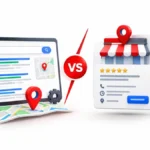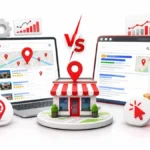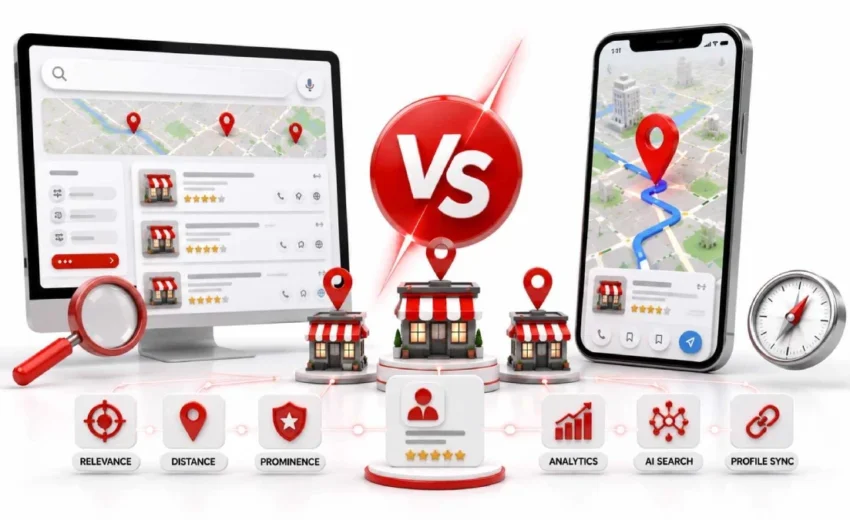
Google Local Finder and Google Maps look almost identical, yet most business owners cannot tell them apart. Both show maps, pins, and business listings. Still, your shop can rank 1st on one and stay invisible on the other.
The reason is simple. Each platform ranks businesses differently, and knowing that difference can win you more calls, visits, and customers. This guide breaks it all down in plain words, so let’s get started.
Key Points:
- Google Local Finder is the full business list inside Google Search, opened via the “More places” button.
- Google Maps is a separate navigation platform with its own app, site, and ranking index.
- Both use the same 3 ranking factors, but Maps favors proximity while Local Finder favors prominence.
- One Google Business Profile powers both platforms, so a weak profile hurts you everywhere.
- A business can rank high on Maps but stay hidden in search due to low authority, filters, or suspensions.
- Geo-grid tools like BrightLocal and Whitespark track your real rankings block by block.
What Is Google Local Finder?
Google Local Finder is the expanded list of local businesses you see after clicking “More places” on Google Search. It shows the full results behind the small map box. Most people use it daily without knowing its name.
The page pulls details from Google Business Profiles. That includes names, addresses, phone numbers, reviews, and photos. It appears for searches like “dentist near me” or “emergency plumber . In short, it helps you compare local options in one place.
Where to Find the “More Places” Button
You open the Local Finder by clicking the “More places” button under the map in Google Search.Search for a local business, locate the map with three listings, and select “More places” to see additional results. The page changes to a full list with filters for ratings, hours, and services.
Local Finder vs the Local Pack: Not the Same Thing
The Local Pack is the preview, and the Local Finder is the complete list behind it. The pack, also called the 3-Pack or Map Pack, shows only three businesses, while the Local Finder shows dozens across scrollable pages. Industry studies report the Local Pack captures around 42% of local search clicks, so the pack wins fast clicks and the Local Finder serves careful researchers.
What Is Google Maps?
Google Maps is a standalone navigation app that helps people find places and travel to them. It runs on maps.google.com and its own mobile app. In the US alone, the app crossed 30 million downloads in 2026.
It started as a tool for directions, traffic updates, and satellite views. Now it also works as a business discovery channel. People use it to check storefronts, parking spots, and street layouts before visiting.
Unlike the Google Local Finder, Maps runs on its own index. So a business can rank differently on each platform. Maps users usually want action, like calling a shop, getting directions, or visiting right away.
The Key Difference Between Local Finder and Google Maps
The key difference is that Local Finder lives inside Google Search, while Google Maps is a separate platform. The Google Local Finder opens from search results at google.com/search. Maps runs on its own app and site at google.com/maps.
User intent also splits the two. Local Finder serves people who research and compare options, like reviews, prices, and services. Maps serves people ready to act, like getting directions, calling, or visiting now.
This split changes rankings too. One study found a 60% variance in listings between the two for positions 4 to 10. So the same business can rank high on one and low on the other.
Do Local Finder and Google Maps Rank Businesses Differently?
Yes, both use the same ranking factors, but each weighs them differently. Google confirms three factors: relevance, distance, and prominence. The weight given to each changes based on where you search.
The gap shows up in real data. One study found the top three spots stay fairly stable on both platforms.
Below that, things shift a lot. Listings for positions 4 to 10 showed a 60% variance between Maps and the Google Local Finder.
The 3 Ranking Factors: Proximity, Relevance, and Prominence
Google ranks local businesses using relevance, proximity, and prominence. Relevance measures how well your profile matches the search, based on categories, services, and keywords. Proximity measures your distance from the searcher, while prominence tracks reputation through reviews, backlinks, and citations.
Why Your Local Rankings Can Differ Between the Two
Rankings differ because Maps favors proximity, while Local Finder favors prominence. Maps ranks nearby businesses first, so a shop with 300 reviews may only cover a small radius there. In Local Finder, that same shop can rank across a whole city, though closed businesses can drop from results, a signal Whitespark ranks 5th strongest.
Google Business Profile: The Foundation Behind Both
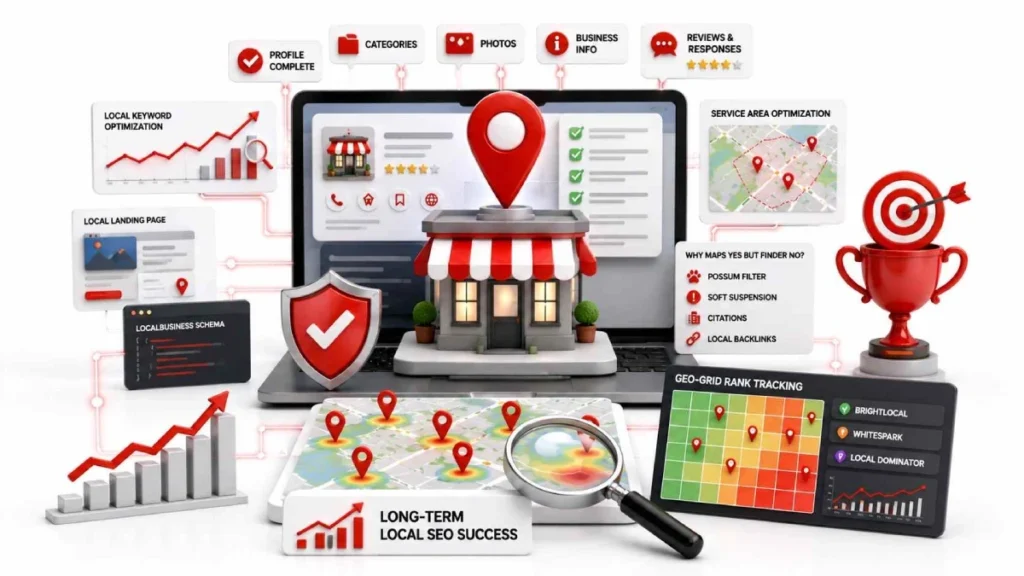
Google Business Profile is the single data source that powers both Local Finder and Google Maps. One profile feeds your details, like name, address, hours, and services, to both platforms. Fix it once, and both surfaces update.
Updates do not always show instantly. A change can take a few minutes or up to 3 business days to appear. Bigger edits, like a new address, may even trigger re-verification.
Profile quality also affects results. Research shows complete profiles earn up to 35% more consumer actions, like calls, clicks, and direction requests. So a weak profile hurts you on the Google Local Finder and Maps at the same time.
How to Improve Your Rankings in Local Finder and Google Maps
You improve rankings on both platforms by strengthening one asset, your Google Business Profile, plus your website. The same work lifts your spot in the Google Local Finder and Maps together. No separate strategy is needed for each.
Start with the basics first. Complete your profile, collect reviews, and add local keywords to your site. Then build authority through backlinks, citations, and fresh reviews over time.
Optimize Your Google Business Profile Completely
A complete profile is the first step to better local rankings. Pick the most specific primary category, like “Pediatric Dentist” instead of “Dentist,” and keep your name, address, and phone identical everywhere. Also, upload 10 to 15 quality photos, since businesses with strong photos get 42% more direction requests.
Build Reviews and Respond to Them
Reviews boost your prominence score and win customer trust at the same time. A Moz study found profiles with 50 or more reviews gained a 20% visibility boost. Ask for reviews after every sale, and reply within 24 to 48 hours using natural service keywords.
Target Local Keywords on Your Website
Your website tells Google which searches your business deserves to rank for. Link your profile to a local landing page, not your homepage, and add LocalBusiness schema markup. Then use phrases like “near you” and “serving [city name]” in headings, titles, and body text.
Tips for Service-Area Businesses
Service-area businesses, like plumbers, locksmiths, and mobile detailers, must hide their address in the profile. Google still measures distance from your hidden address, so you cannot skip proximity. Set up to 20 service areas within a 2-hour drive, and build city pages with real testimonials and project photos.
Why Is My Business Showing in Google Maps but Not Local Finder?
Your business shows on Maps but not Local Finder because search demands higher prominence. Maps ranks you if you are simply close to the searcher. The Google Local Finder needs stronger signals, like reviews, citations, and website authority.
A few filters can also hide your listing. Google suppresses businesses that share an address and category with a competitor, a rule known as the Possum filter. A soft suspension can quietly remove you from search too, while your Maps pin stays live.
Two more causes are worth checking. A wrong or generic category weakens your relevance, so pick a specific one. Also, searches made after closing hours can hide your listing until you reopen.
How to Track Your Local Finder and Maps Rankings
You track rankings with geo-grid tools that check your position from many map points. Regular rank trackers give one average score per city, which misleads you. Local results change block by block, so you may rank 1st at your store and 10th three streets away.
Geo-grid tools, like BrightLocal, Whitespark, and Local Dominator, solve this. They run searches from grid points, such as 3×3, 5×5, or 13×13, across your area. The results show as a heatmap, with green pins for top 3, yellow for 4 to 10, and red for below 10.
Track the Google Local Finder and Maps separately when possible. Some tools split the two into a discovery rank and a navigation rank. If you show green on Maps but red on search, your profile needs more prominence, meaning reviews, links, and citations.
FAQs
Is Google Local Finder part of Google Maps?
No, Google Local Finder is part of Google Search, not Google Maps. It opens from search results when you click “More places,” while Maps runs as a separate app and website.
Is it free to appear in the Local Finder and local pack?
Yes, appearing in the Local Finder and local pack is completely free. You only need a verified Google Business Profile, though Google also sells paid ad spots above the free listings.
Which should I focus on first: Maps or Local Finder?
Focus on your Google Business Profile first, since it powers both platforms. One complete profile with strong reviews improves your rankings on Maps and the Local Finder at the same time.
Is the Local Finder still relevant in 2026?
Yes, the Local Finder remains a major source of local business traffic in 2026. The local pack alone captures around 42% to 44% of local search clicks, and the Finder receives users who compare options beyond the top three.
SEO worth it for a small business?
Yes, local SEO delivers strong returns because local searches carry high buying intent. Ranking in the local pack and Local Finder brings free, ongoing traffic from customers ready to call or visit.
Conclusion
Google Local Finder and Google Maps serve two different jobs. Local Finder lives inside Google Search and helps people research and compare businesses, while Maps helps people navigate, call, or visit right away.
Both platforms pull data from one Google Business Profile, and the same three factors decide rankings. So one strategy covers both, complete your profile, collect fresh reviews, target local keywords, and track your positions with geo-grid tools.
Start today by auditing your Google Business Profile and checking where you rank on both platforms.
25 July 2026
Google Maps Citations: What They Are and How...
25 July 2026