
Most international SEO problems start the same way, with a translated site that never ranks. CSA Research surveyed 8,709 consumers in 29 countries. 40% will not buy from a site in a language they cannot read. So you translated your pages, and nothing changed.
Google still shows your English page to shoppers in Germany. Your Spanish page competes with it and loses. Months of translation budget sit there earning nothing. The cause is rarely the writing. It is missing signals that tell search engines which country each page serves.
This guide walks through it step by step. Choosing your first market, picking a URL structure, setting up hreflang correctly, and researching keywords per language. It also covers real costs, honest timelines, and how to fix pages that will not rank.
Key Points:
- International SEO tells search engines which countries and languages your pages serve, so the right version ranks in each market.
- Start only when foreign traffic already arrives and you can ship, bill, and support those customers.
- Subfolders like example.com/de/ suit most businesses, since they share your existing domain authority.
- Hreflang breaks most often from missing return tags, wrong codes like uk instead of gb, and noindex blocks.
- Research keywords natively in each language, then localise currency, sizes, and legal notices, not just the words.
- Expect ranking movement in 3 to 6 months, with real traffic between 6 and 12 months.
What Is International SEO?
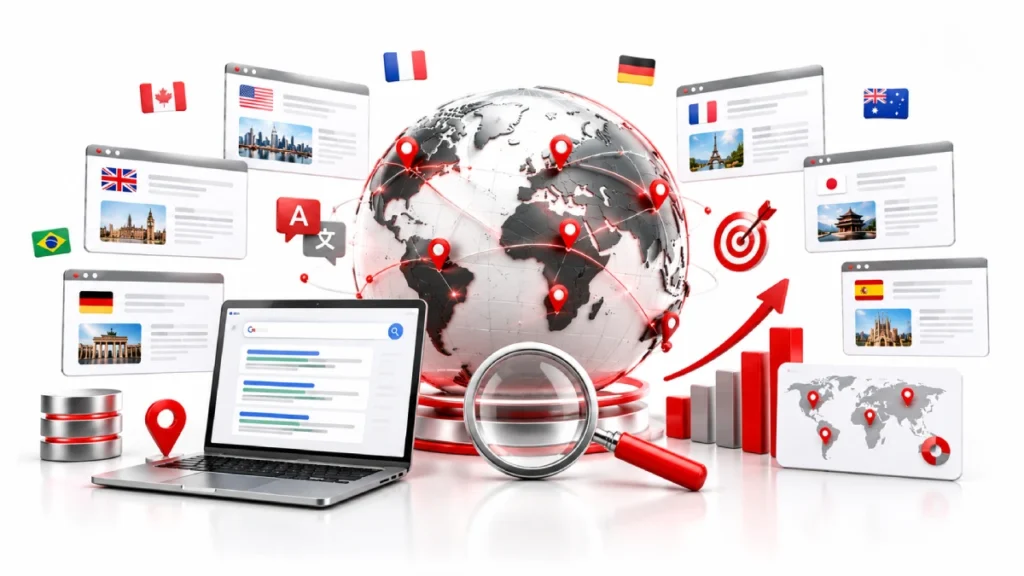
International SEO is the process of setting up your website so search engines know which countries and languages you serve. It tells Google which version of a page to show a shopper in Germany, and which to show someone in Brazil.
Without those signals, search engines guess, and they often guess wrong. CSA Research surveyed 8,709 consumers across 29 countries and found 76% prefer buying in their own language. So the work covers three things: targeting signals, localised content, and trust built inside each market.
Multilingual vs Multiregional Sites
A multilingual site offers content in several languages. A multiregional site targets several countries. A Canadian retailer selling in English and French is multilingual, since prices and shipping stay the same.
A multiregional brand runs separate versions for the US, UK, and Germany, because currency and tax rules change. Sites can be both. A Swiss store needs Swiss francs plus German, French, and Italian.
How It Differs From Local SEO
Local SEO helps you rank in one city. International SEO helps you rank across countries and languages. Local SEO runs on proximity signals like Google Business Profile, reviews, and consistent contact details. International SEO runs on structure instead. You choose a URL setup, add hreflang tags, and build links inside each market. Some markets also need Naver, Yandex, or Baidu.
Do You Actually Need International SEO?
You need international SEO when foreign visitors already reach your site, and you can actually serve them. Traffic alone is not the trigger. The ability to ship, bill, and support those customers is.
Start in Google Analytics 4 and Google Search Console, then filter by country. Look for repeat visits, form fills, or checkout attempts from outside your home market.
Next, check operations. Can you handle shipping costs, payment methods like iDEAL or Klarna, VAT rules, and local support? No tag fixes a fulfilment gap.
Also watch markets that share your language. Without country targeting, Google often indexes one page and drops your US, UK, or Australian versions.
How to Choose Which Markets to Target First
Start with the market that already sends you traffic and lets you fulfil orders profitably. Pick one or two countries, not eight. Every extra market adds content, tagging, and upkeep.
Run four quick checks. Pull country data from Google Search Console and Google Analytics 4. Size the demand with Ahrefs, Semrush, or Google Keyword Planner. Study local competitors to see whether they use country domains.
Finally, test the numbers. Shipping costs, duty rates, translation fees, and margins decide if a market is worth entering.
Language Targeting vs Country Targeting
Choose language targeting when your offer stays the same everywhere, and country targeting when prices or laws change by border. One German page at /de/ covers Germany, Austria, and Switzerland. Country targeting splits by territory instead, so /en-us/ and /en-gb/ can carry different pricing and legal terms.
Choosing Your URL Structure
Your URL structure tells search engines which country each part of your site serves. It also decides how your link authority spreads. This is the hardest choice to reverse later.
You have three main options: country domains, subdomains, and subfolders. Google supports all three. Each one trades geographic signal strength against cost and upkeep.
ccTLDs, Subdomains, and Subfolders Compared
ccTLDs give the strongest country signal but split your authority across separate sites. Domains like example.de or example.fr look local and build trust. However, each one needs its own links, hosting, and budget. Some countries also require a local address to register one.
Subdomains sit in the middle. A setup like fr.example.com lets you run separate servers or systems per market. Google treats them as partly separate, so link value transfers only in part.
Subfolders keep everything on one domain. With example.com/fr/, every link feeds the same site, so new markets rank faster. The signal is weaker, though, so hreflang tags do more of the work.
Which One Should You Pick?
Most small and mid-sized businesses should use subfolders. They cost nothing extra, reuse your existing authority, and stay easy to manage as you add markets.Pick ccTLDs only with a local team, budget for country link building, and strong local branding needs. Choose subdomains when regional sites run on separate platforms or servers.
Hreflang Tags Explained
Hreflang tells search engines which language and country each page targets. It helps Google show the right page to the right audience.A tag uses ISO 639-1 language codes like en, fr, or de, plus optional country codes like US or GB. Add an x-default tag too. It catches anyone who matches none of your versions.
How to Add Hreflang to Your Site
You can add hreflang in the HTML head, the XML sitemap, or the HTTP header. The head suits small sites, sitemaps suit large stores, and headers handle files like PDFs. Pick one method only, since mixing them creates conflicts.
Hreflang Mistakes That Break Your Setup
Most errors come from broken pairs, wrong codes, or blocked pages. Watch for these six:
- Missing return tags. If your US page links to the UK page, the UK page must link back.
- No self-referencing tag. Every page needs a tag pointing to itself.
- Invalid codes. Use gb, not uk. Use cs for Czech, not cz.
- Canonical conflicts. Each page should canonicalise to itself, not the main market.
- Blocked pages. A noindex tag or robots.txt block stops Google reading the tags.
- Broken destinations. Tags must point to live URLs, not redirects or 404s.
Check yours in Google Search Console, or crawl the site with Screaming Frog or Ahrefs.
Keyword Research and Content for Each Market
Do keyword research separately in each language, using local tools and local data. Never build a market’s keyword list by translating your English one.
Search behaviour changes with culture and habit. Volume, competition, and even intent shift across borders. A term that sells in the US may only inform in Spain.
Why Translating Keywords Fails
Direct translation gives you words people rarely type into search. In Mexico, shoppers search “lentes” for glasses, while Spain uses “gafas.” Intent shifts too, so the same keyword may need a different page in each country.
Translation vs Localization
Translation swaps words. Localization adapts everything around them, including currency, sizes, dates, payment methods like Klarna, and legal notices such as GDPR. CSA Research found 40% of consumers will not buy from a site in a language they do not read.
Technical Setup Beyond Hreflang
Use a crawlable language switcher, avoid forced redirects, host globally, and create separate sitemaps. These steps help search engines crawl international pages.The redirect rule matters most. Googlebot crawls mainly from US IP addresses. If you auto-redirect US visitors away, Google may never see your other versions. Show a small banner instead, and let people choose.
Then handle speed and structure. Use a CDN like Cloudflare or Fastly to serve pages from nearby servers. Split sitemaps by region, such as sitemap-fr-fr.xml, so you can track indexing per market.
Setting This Up on WordPress or Shopify
On Shopify, use Shopify Markets. On WordPress, use WPML, Polylang, or Multisite. Shopify Markets adds subfolders like /fr-fr/ and writes hreflang for you, so audit your theme for duplicate tags. WordPress plugins do the same on one install, while Multisite suits larger setups.
Building Authority in Each Market
You have to earn links inside each country, because US links do little for German rankings. Local links tell search engines your site belongs in that market.
Three sources work well. Run digital PR aimed at local journalists and trade publications. List your business in country directories and chambers of commerce. Partner with regional distributors or resellers.
When Google Is Not the Main Search Engine
In South Korea, Russia, and China, local engines lead instead. Naver favours content inside its own network, so brands need an active Naver Blog. Yandex rewards flat site structures, while Baidu requires Chinese hosting, an ICP licence, and Simplified Chinese.
Tracking Results and Fixing Problems
Track every market separately, or your global numbers will hide the ones that are failing. One strong country can easily mask three weak ones.
Set up a Google Search Console property for each subfolder or subdomain. Filter Google Analytics 4 by country. Then check rankings using local search locations, and watch conversions per market, not only traffic.
Why Your International Pages Are Not Ranking
First check indexing, then check authority. Technical issues usually cause indexing problems: IP redirects block Googlebot, broken return tags, wrong canonicals, or stray noindex tags.
Weak content or links can hold back an indexed page’s rankings. That usually means machine translation, no local backlinks, or a mismatch with local search intent.
Cost, Timeline, and Who Does the Work
Agencies usually charge $3,000 to $10,000 per month, while consultants bill $50 to $200 per hour. One-off work like an audit or keyword research starts around $1,000.
Most sites see first ranking movement in 3 to 6 months. Real traffic and revenue usually follow between 6 and 12 months. Competitive markets take longer.
Four roles carry the work: an SEO lead, a native writer, a developer, and a local PR contact. You rarely need all four in-house. Many small teams keep strategy internal and hire native writers per country.
Your International SEO Checklist

Work through these 15 checks before and after you launch a new market. They cover strategy, structure, tagging, content, and links.
Strategy
- Check country data in Google Search Console and Google Analytics 4
- Confirm you can ship, bill, and support that market
- Decide between language targeting and country targeting
- Check which engine leads there: Google, Naver, Yandex, or Baidu
Structure and technical
- Pick your URL setup, usually subfolders like example.com/de/
- Turn off forced IP redirects and use a banner instead
- Add a crawlable language switcher, not a JavaScript dropdown
- Create region-specific sitemaps and a CDN like Cloudflare
Hreflang
- Use ISO 639-1 language codes and ISO 3166-1 country codes
- Add self-referencing tags and matching return tags on every page
- Include an x-default fallback and self-canonicalise each version
Content and links
- Research keywords natively, never by translating your English list
- Localise currency, sizes, dates, and legal notices like GDPR
- Build local links through country PR, directories, and partners
- Set up a Search Console property per market and track conversions
FAQs
Does Google penalize duplicate content in different languages?
No, Google does not penalize translated versions of the same page. Search engines may index one version and ignore the others when you leave them untagged.
Do I need hreflang if my pages are nearly identical?
Yes, near-identical pages need hreflang most of all. Without it, Google cannot tell your US, UK, and Australian pages apart and often ranks the wrong one.
What happens if I auto-redirect users based on their IP address?
Googlebot may never crawl your international pages. It crawls mainly from US IP addresses, so forced redirects can block access to every other version.
Which tools do I need for international SEO?
Google Search Console and Google Analytics 4 cover tracking and diagnostics for free. Add Ahrefs or Semrush for local keyword data, and Screaming Frog for hreflang audits.
What is the difference between multilingual and multiregional SEO?
Multilingual means serving several languages, while multiregional means targeting several countries. A site can be both, such as a Swiss store running German, French, and Italian versions.
Conclusion
International SEO comes down to three things done properly. You send clear signals about who each page serves, through your URL structure and hreflang tags. You adapt the content itself, not just the words. Then you build links and trust separately in every market you enter.
Most failures start with the first part and stop there. A translated page with broken return tags will not rank, no matter how good the writing is. Start with one market you can already serve, get the structure right, and expand once the numbers hold up.
Run a country-level audit of your site this week, and fix whatever the data shows before adding a single new market.

17 October 2026