

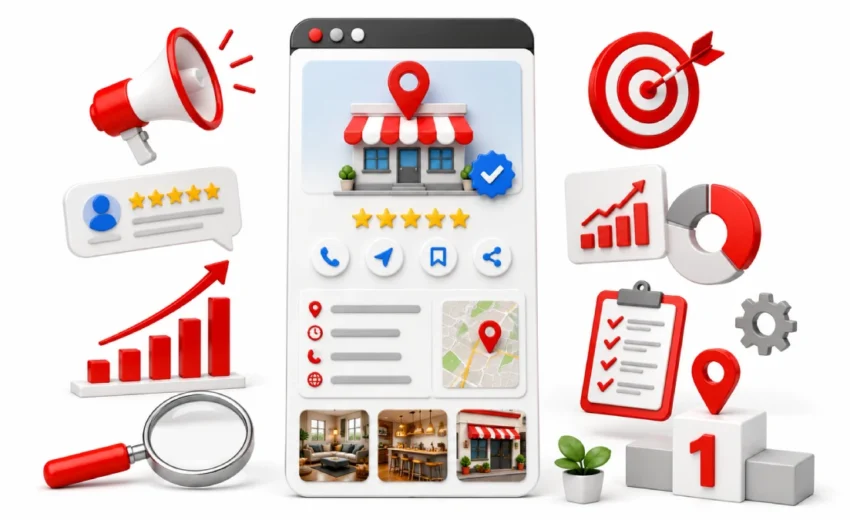
Google Business Profile Categories: How to Choose the Right One is as 86% of Google Business Profile views come from category searches, not your business name. This means most customers find you by searching for a service, not your brand. If your category is wrong, they will not find you.
This is where the problem starts. Your profile may have great photos, strong reviews, and complete details. But it will not help if Google does not understand what your business does. A wrong GBP category quietly blocks you from important searches.
The good news is that this is fixable. This guide explains how Google Business Profile categories work, how to choose the right ones, and what mistakes to avoid. By the end, you will know exactly what to update and why it matters.
What Are Google Business Profile Categories?
Google Business Profile categories are labels that describe what your business does. They help Google match your business with the right searches. Google offers around 4,000 predefined categories. You cannot create your own categories. These categories directly affect your visibility in Google Search and Google Maps. They are a key ranking factor in local SEO.
Examples include “Dentist,” “Plumber,” and “Electrician” for services, and “Restaurant,” “Cafe,” and “Bakery” for food businesses. These categories connect your business to the right audience.
What a Business Category Means in GBP
A business category shows your main service.It shows Google what your business is about. It focuses on your service, not your brand. For example, “Barber Shop,” “Hair Salon,” and “Beauty Salon” are for personal care.“Auto Repair Shop,” “Car Wash,” and “Tire Shop” are used for car-related services. “Gym,” “Yoga Studio,” and “Personal Trainer” are used for fitness businesses. Each category should clearly match one main service.
How Google Uses Categories to Identify Your Business
Google uses categories to match your business with search queries.The primary category is an important ranking factor. It plays a key role in local visibility. Google also looks at location, reviews, and other profile signals. It combines all of these to decide rankings.
For example, “emergency plumber near me” matches “Plumber,” “pizza delivery near me” matches “Pizza Restaurant,” and “car repair near me” matches “Auto Repair Shop.”
A study shows that 76% of local searches lead to a visit within 24 hours. This shows how important the right category is.
Why Your Category Choice Matters More Than You Think
Your category choice controls when your business appears in search results. The primary category is one of the strongest ranking signals. It defines your main service and relevance. Google matches searches with business categories. If your category is correct, you appear in the right searches. If not, you may appear in the wrong searches or not at all.
Wrong categories reduce visibility, clicks, and conversions. They also limit your reach. A BrightLocal study shows that 87% of people used Google to evaluate local businesses. This proves how important correct categories are.
Why Google Business Profile Categories Are Important for Local SEO
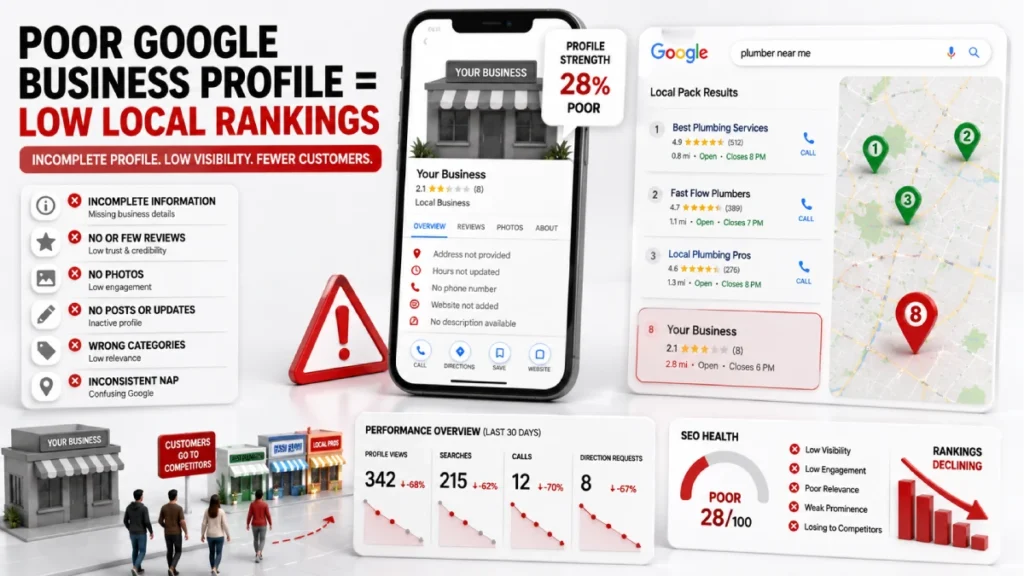
Categories are a major factor in local SEO. They help Google understand your business and decide where to rank it. The primary category has the biggest impact. It helps your business appear for specific searches. Accurate categories improve your chances of ranking higher.
For example, “Plumber” ranks for “emergency plumber near me,” “Restaurant” ranks for “best food near me,” and “Dentist” ranks for “teeth cleaning near me.” Relevance is key. If your categories match search intent, your visibility improves. If not, you lose traffic.
Primary vs Secondary Categories
Primary and secondary categories help Google understand your business clearly. They define your main service and expand your visibility for related searches.
What is a Primary Category (and Why It Matters Most)
The primary category is your main business type. It carries the most ranking weight. Google uses it to decide when your business should appear.You are allowed to select only one primary category. Examples include “Plumber,” “Dental Clinic,” and “Restaurant.”
What Are Secondary Categories and How They Help
Secondary categories describe other services you offer. They expand your visibility but have less weight than the primary category. You can add up to 9 secondary categories. Examples include “Drainage Service,” “Water Heater Repair,” and “Bathroom Remodeler” under a plumbing business.
How many categories should you add
You can add up to 10 categories in total, including 1 primary and 9 secondary categories. However, adding fewer but highly relevant categories improves performance. Relevance is more important than quantity.
Examples include using 3–5 focused categories like “Electrician”, “Lighting Contractor”, and “Electrical Repair Service” instead of adding unrelated categories. Many local searches result in a visit or action within a day, showing strong purchase intent from nearby users.
How to Choose the Right Google Business Profile Category
Choosing the right Google Business Profile category is very important. It helps Google understand what your business does. It also ensures your business appears in relevant search results.
Step 1: Identify your core business service
Identify the core service that generates the highest revenue and demand. This service defines your primary category. Focus on one main offering instead of multiple minor services. Examples include “Plumber” for plumbing, “Dentist” for dental care, and “Restaurant” for food businesses.
Step 2: Choose the most specific category
Choose the most specific category available instead of a broad option. Specific categories improve ranking accuracy and match high-intent searches. Examples include “Bathroom Remodeler” instead of “Contractor”, “Pediatric Dentist” instead of “Dentist”, and “Italian Restaurant” instead of “Restaurant”.
Step 3: Match categories with search intent
Match categories with real customer search queries to improve visibility. Categories must reflect how users search on Google. Examples include “emergency plumber near me” matching “Plumber”, “pizza delivery near me” matching “Pizza Restaurant”, and “car repair near me” matching “Auto Repair Shop”.
Step 4: Add only relevant secondary categories
Add only relevant secondary categories that reflect actual services. Google allows up to 9 secondary categories, but relevance matters more than quantity. Irrelevant categories reduce ranking accuracy.
Examples include “Drainage Service”, “Water Heater Repair”, and “Sewer Cleaning” for plumbing businesses.
How to Find the Best Categories for Your Business
Finding the right Google Business Profile categories needs simple research. It helps increase your visibility in local search results.
1. Check competitors on Google Maps Look at top-ranking competitors in your area. See what categories they use. Focus on the top 3–5 results. For example, plumbing businesses may use “Plumber”, “Drainage Service”, or “Water Heater Repair”. Food businesses may use “Cafe”, “Bakery”, or “Coffee Shop”.
2. Use category lists and keyword tools Use Google’s category list and SEO tools to find options. Tools like GMB Everywhere, PlePer, and Google Keyword Planner can help. For example, you may find “Electrician”, “Lighting Contractor”, or “Electrical Repair Service”.
3. Check and test your choices Match your categories with real search behavior. See if they fit what people search for. For example, “Auto Repair Shop” or “Mechanic” should match searches like “car repair near me”. A BrightLocal study shows 87% of people use Google to check local businesses, so correct categories matter.
How to Add or Edit Categories in Google Business Profile
You can add or edit categories in your Google Business Profile from the business information section. Open your profile, click “Edit Profile,” then go to “Business Information.” Find the category option and choose your main category. This is your primary category.
After that, add a few relevant secondary categories. These should match the services you offer. Do not add too many or unrelated ones. Save your changes to apply them. Updates may take some time to reflect in search results.
What to Do If Your Category Is Not Listed in Google Business Profile
If your exact category is not available, choose the closest one. Pick the option that best matches your main service. Google does not allow custom categories and uses a fixed list of about 4,000 categories.
Always focus on your core service. For example, use “Plumber” if a special plumbing option is missing. Use “Restaurant” if a specific restaurant type is not listed. Use “Law Firm” if a niche legal category is not available.
You can also use secondary categories and services to add more details. For example, add “Drain Cleaning” or “Water Heater Repair” for plumbing. For restaurants, add “Dine-in”, “Takeaway”, or “Catering”.
Real Examples of Good vs Bad Category Choices
Good Google Business Profile categories match your exact service. They help improve your ranking and visibility. Bad or wrong categories reduce your reach and bring irrelevant traffic. Specific categories work better than broad ones. For example, use “Bathroom Remodeler” instead of “Contractor”, and “Pediatric Dentist” instead of “Dentist”. Also use “Italian Restaurant” instead of just “Restaurant”.
Correct category use depends on your industry. A plumber should choose “Plumber”, “Drain Cleaning Service”, or “Water Heater Repair”. A restaurant should choose “Cafe”, “Bakery”, or “Pizza Restaurant”, not general options like “Food Service”.
How Categories Fit Into Your GBP Strategy
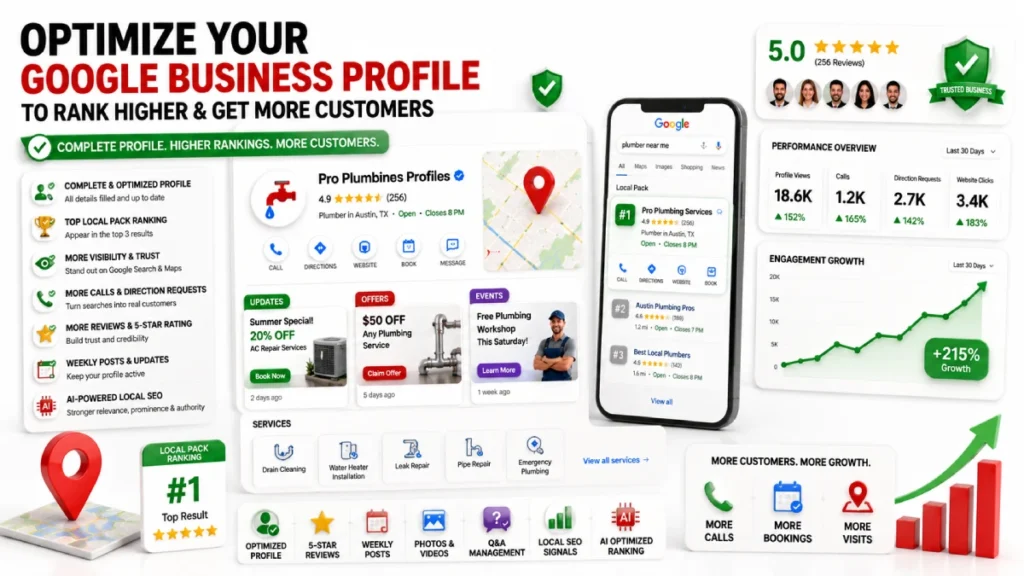
Google Business Profile categories are the base of your local SEO strategy. They help Google understand your business and match it with searches. They work with services, reviews, and your business description to improve visibility.
Categories and services section
Your category should match your services. The category shows your business type, and services give details. For example, “Plumber” with “Leak Repair”, “Pipe Installation”, and “Drain Cleaning”. Or “Restaurant” with “Dine-in”, “Takeaway”, and “Catering”.
Categories and customer reviews
Reviews help confirm your category. Google checks what customers say. For example, reviews like “fast plumbing repair”, “great pizza restaurant”, or “good dental cleaning” support categories like “Plumber”, “Pizza Restaurant”, and “Dentist”.
Categories and business description
Your description should match your category. It explains your services clearly.For example, “24/7 plumbing, pipe repair, and drainage services” or “Italian cuisine with dine-in and takeaway options”.
When and How to Update Your Categories
You should only update your Google Business Profile categories when your main services change. You should also change them if your current category no longer matches your business. Examples include a plumber adding HVAC services or a restaurant shifting from “Cafe” to “Full-Service Restaurant”. This keeps your profile correct on Google Search and Maps.
Category updates can cause short-term ranking changes. Your visibility may go up or down for a short time. Google re-checks your business after changes. Review your categories every 3 to 6 months. This helps you stay accurate and perform better in local search.
FAQs
Can I change my primary category later?
Yes, You can change it anytime.Rankings may decrease temporarily for a few days or weeks. Google may ask for re-verification after major changes. Only update it when your main service changes.
Do Google Business Profile categories affect rankings directly?
Yes, Categories are a strong ranking factor. They help Google match your business with searches. Wrong categories reduce visibility.
What happens if I choose the wrong category?
Wrong categories hurt visibility. Your business may show for the wrong searches or not show at all. This leads to fewer calls and customers.
How many categories should I add?
Use one primary category. Add 2 to 4 relevant secondary categories. Keep it focused. Too many categories can confuse Google.
How do I find the best category?
Check top competitors on Google Maps. See which categories they use. Use category lists and keyword tools. Choose the most specific option.
Do categories affect Google Maps visibility?
Yes, Categories control when your business appears. They help Google understand your services. Correct categories improve rankings and visibility.
Conclusion
Google Business Profile categories tell Google what your business is about. They help Google understand and rank your business in local search. The primary category shows your main service.It plays a key role in your ranking.Secondary categories help you appear in related searches and reach more customers.
Wrong or unclear categories can reduce your visibility and limit customer reach. Correct and specific categories improve your local SEO. They help you rank better on Google Maps. Keep your categories updated when your services change. This keeps your profile accurate and strong. Optimize your Google Business Profile categories to get more visibility and attract more local customers.