


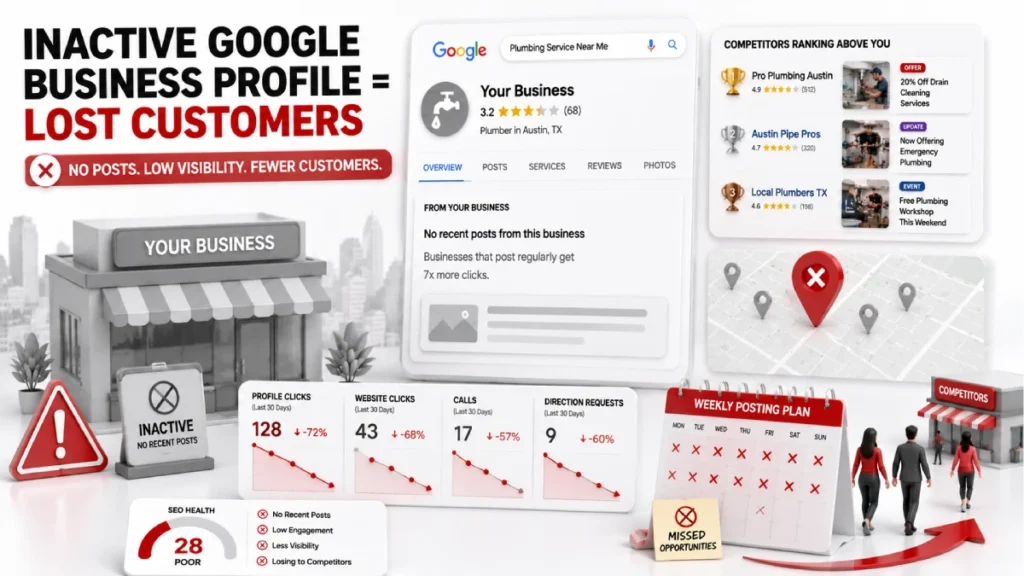
Active Google Business Profiles get seven times more clicks than inactive profiles. Yet most local businesses set up their profile once and never touch it again. That habit is sending customers to your competitors every day.
You post once in a while or not at all. Your offers, services, and updates are invisible to people searching right now. While you wait, a nearby competitor shows fresh google business posts, offers, and a Book button that sends customers to their calendar.
This guide solves the problem. It covers GBP post types, Google Business Profile post image size requirements, and a simple monthly posting on Google My Business plan. It also includes real examples from different industries. You learn how to turn your profile into a tool that brings customers.
What Are Google Business Profile Posts?
Google Business Profile posts are free updates. They appear on your listing in Google Search and Google Maps. They include announcements, offers, events, and product highlights.
People often ask: what are Google posts? Simply put, they are short content updates that show directly on your GBP listing when someone finds your business through Google Search or Maps.
When someone searches “emergency dentist in Chicago” or “Italian restaurant near me,” your listing appears in Google Search and Maps. It shows in the Knowledge Panel, the Maps side panel, or a Featured Posts section for some industries. Where do Google My Business posts appear? They show up directly in the search results panel no website visit needed. Unlike social media, GBP posts reach people already searching for your service. They are ready to choose, call, visit, or book. Each post should have one clear purpose and avoid hashtags, vague content, and brand-only focus.
Consistent GMB posting affects your Google ranking. A profile inactive for 30 days or more loses prominence. Competitors move above it in search results. Active profiles get seven times more clicks. Businesses with photos receive 35% more website clicks and 42% more direction requests. A post is not only a customer message. Google uses google my business posts as structured data to decide which businesses to recommend.
Why Google Business Profile Posts Matter for Local SEO
GBP posts improve local SEO by strengthening relevance and prominence. Regular activity signals keep your profile active. User engagement increases through consistent posts. Structured content supports Google’s ranking system and AI.
Google My Business posts SEO works through three pillars of Google’s local ranking algorithm: Proximity, Relevance, and Prominence. Google fixes proximity. GBP posting improves relevance and prominence. Each post sends fresh data to Google. It confirms what your business does and where it works. It shows your business is active and serving customers. A profile inactive for 30 days or more becomes dormant. It loses prominence to competitors who post on Google My Business on a regular basis.
Google Business Profile posts are not a direct ranking factor. They trigger behavioral signals that drive rankings. When users linger, click a CTA, or request directions after reading a post, Google interprets these as strong relevance signals. Profiles posting weekly receive 35% more website clicks and a 2.8x lift in CTR. Strong reviews, accurate citations, and consistent NAP data work with posts. Together, they build a strong Google Business Profile guidelines local SEO advantage. Competitors find it hard to match.
What Is Google My Business Called Now?
Before diving into the how-to, it helps to clarify naming. What is Google My Business called now? Google rebranded Google My Business (GMB) to Google Business Profile (GBP) in 2022. The platform works the same way. You may still see both names used, GMB posts, google my business posting, and GBP posts all refer to the same feature.
How to Post on Google My Business (Step by Step)
How do you post on Google? It takes less than five minutes once Google verifies your profile. Here is the full process for posting on Google My Business.
Step 1: Access Your Profile Log in to the Google account that manages your business. Search your business name in Google Search. A panel titled “Your business on Google” appears at the top. You can also go to business.google.com. This is your main dashboard for Google My Business features including posts, reviews, and photos.
Step 2: Choose Your Post Type Click “Add update.” Three options appear: Update, Offer, and Event. Use Update for announcements like “Now open on Sundays.” Use an offer for promotions like “20% off this week.” Use Events for workshops, open houses, or seasonal sales. For products, select “Edit products” from the main menu. How do I post on Google? Start right here with this menu.
Step 3: Write Your Content Put the most important information in the first 100 characters. That is what appears in the preview before users click “more.” Stay between 150 and 300 characters total for best results. Think about what to post on Google My Business service updates, offers, and local news all work well.
Step 4: Add Your Image or Video Upload an image or video following the Google Business Profile post image size guidelines. The system supports up to 10 photos or videos per post. Use original photos, not stock images.
Step 5: Add a CTA Button Select a CTA button from options including “Book,” “Order online,” “Call now,” and “Learn more.” Match the button to your goal. Use “Book” for appointments. Use “Call now” for urgent services such as plumbers or locksmiths. Choosing effective CTAs for Google Business Profile posts is one of the biggest levers for driving more calls and bookings.
Step 6: Preview and Publish Hit “Preview” before publishing. Check how the post looks on both mobile and desktop. Click “Post” when ready. To edit or delete a post on Google Business, click the three dot menu on the post card. Delete any post with outdated pricing or expired offers immediately.
How to Write Google Business Profile Posts That Get Results
The difference between a google business profile post that gets clicks and one that gets ignored comes down to one thing: structure.
The Hook, Value and CTA Formula
Every high performing GBP post follows three steps. Hook: grab attention in the first few words. “Emergency plumbing available tonight” works. “Hey there, check us out!” does not. Value: give a specific reason to choose you. “5 star rated, no hidden fees, same day service” is the value. “We are the best in town” is not. A CTA should clearly instruct the reader on what to do next. “Tap Call now for a free estimate” leaves no confusion. These are the Google Business Profile posts best practices that separate high-performing profiles from inactive ones.
Writing for Local Intent and Mobile Users
Include city and neighborhood names in your posts. “Best physiotherapy clinic in Austin” outperforms “best physiotherapy clinic.” Google reads geographic references as local relevance signals. Write short punchy sentences. Most people read posts on mobile, so keep every line easy to scan. Include keywords like “same day electrician,” “family dentist,” or “affordable dog grooming” in your text. Never list keywords in a row. Google detects keyword stuffing and treats it as a quality violation.
What to Avoid
Vague text like “Big things coming soon” gives readers nothing to act on. Missing CTA buttons waste the most valuable part of your google business page post. Repeating the same image and text triggers Google’s duplicate detection and causes rejections. Overposting more than once per day clutters your Knowledge Panel and weakens your best content. Every post needs one clear goal, one strong image, and one direct CTA.
GBP Image, Video, and Text Guidelines
Google Business Profile post guidelines on formatting ensure your post publishes and displays correctly in Search and Maps.
Google Business Profile Post Image Size and Video Specs
The recommended GMB post image size is 1200 x 900 pixels with a 4:3 aspect ratio in JPG or PNG format. Keep file size between 10KB and 5MB. Center all key elements within a 900 x 900 pixel safe zone because Google applies square cropping on mobile. This Google My Business post size guideline is critical wrong dimensions cause poor mobile cropping and rejected posts.
Use original photos of your storefront, team, or real work. Google’s Vision AI rewards original photography and penalizes stock images. Keep text overlays under 20% of the image area. For videos, stay under 30 seconds, shoot at 1080p, and keep file size under 75MB. The GMB post size for video is a maximum of 75MB.
Text and Content Rules
The character limit is 1500. Posts between 150 and 300 characters perform better. The first 100 characters appear in the preview before users click “more” so lead with your strongest point. Never include a phone number in post text. Google rejects posts containing phone numbers. Use the “Call now” CTA button instead. Avoid external links in the post body, excessive capitalization, and repetitive language. Following these google business profile post guidelines keeps your posts live and visible.
Posting Strategy That Actually Works
Google My Business posting 1 to 3 times per week is the optimal frequency for maintaining a high activity score on your Google Business Profile. Consistency matters more than volume. A business posting on Google My Business once every Friday outperforms one that posts seven times in one week then goes silent for a month. Google treats irregular GBP posting the same as inactivity. Follow this simple monthly plan to stay consistent:
Week 1: Publish an Update post. Share a new service announcement, a staff spotlight, or a behind the scenes look at your business.
Week 2: Publish an Offer post. Feature a seasonal discount, a limited time deal, or a new customer bundle.
Week 3: Publish a product or service spotlight. Highlight one specific service with its benefits and pricing.
Week 4: Publish an Event, testimonial, or seasonal content piece focused on building local trust.
How to Schedule GBP Posts Effectively
The easiest way to maintain this schedule is batch creation. Reserve two to three hours once a month. Write all four posts, select images, and schedule everything in one session.
Can you schedule posts on Google My Business? Not natively through the Google dashboard but third party tools make it easy. How to schedule posts on Google My Business and how to schedule GBP posts effectively both come down to the same answer: use a dedicated tool. BrightLocal, Localo, and Hootsuite allow you to schedule GMB posts in advance. Google offers a Recurring Posts feature for food and drink businesses. It automates offers like Happy Hour.
How Google Business Profile Posts Drive Traffic and Customers
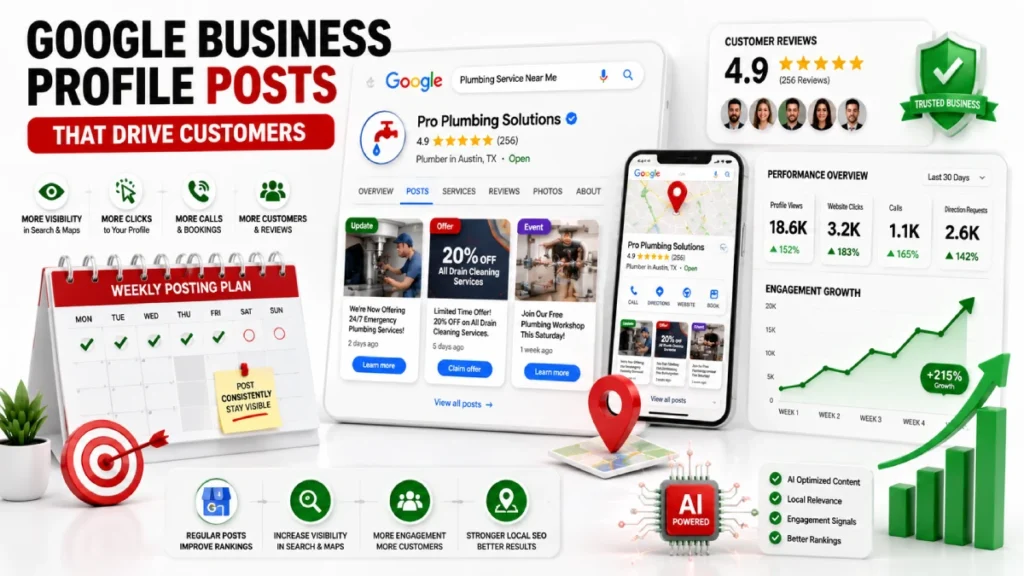
Most customers searching on Google never visit a website. They decide directly from the business profile. This is the Zero Click reality. Your google posts for business are what convinces a searcher to choose you over the competitor listed below you. A well-written offer post with pricing, availability, or a limited-time deal pushes customers to act.
Choosing effective CTAs for Google Business Profile posts is where most businesses leave results on the table. Use “Book” for salons, dentists, and legal consultants. Use the “Order Online” option for restaurants and retail stores. Use “Call now” for urgent services like plumbers and locksmiths. Use “Learn more” for complex services needing more explanation. Never link to your homepage. Link directly to a booking form, a product page, or a specific landing page. Every extra click reduces the chance a customer completes the action.
How to Measure Performance and ROI
Google Business Profile shows four key metrics in Insights: views, clicks, calls, and direction requests. Clicks, calls, and direction requests are the ones that matter. These are User Actions and show whether your google business profile posts drive real business.
To track which posts are driving traffic add UTM parameters to your CTA links. This lets you see in Google Analytics 4 exactly how many sessions and leads came from a specific gbp post. Without this you are posting blind. Good performance looks like a steady month over month increase in User Actions. Google sees 3 to 8 percent conversion from profile interactions as a strong benchmark.
Google My Business Posts Examples: Real High-Performing Posts
Here is what a strong GMB post looks like across four different business types. These google business profile posts examples show the exact structure that drives clicks and calls.
Offer Post: Restaurant Join us this Tuesday for BOGO Burger Night in downtown Austin. Use code BURGER26 when ordering online or mention this post in store. Valid from 5pm to 9pm only. Why it works: Specific redemption path, local neighborhood name, and a hard deadline create urgency and make the offer easy to act on.
Update Post: Law Firm New office, same trusted team. We are now seeing clients at our West End location and offering free 15 minute estate planning consultations for all new clients this month. Appointments are filling fast. Why it works: Leads with a change that justifies the post, builds trust through a clear offer, and uses a Book CTA to drive appointments.
Event Post: Salon Calling all 2026 brides. Join us for an evening of bridal hair trials, makeup tips, and champagne. Book your bridal package during the event and receive 10% off. Why it works: Targets a specific niche, uses Event metadata to appear in local discovery searches, and includes a built in incentive to convert attendees on the spot.
Testimonial Post: Any Business We only heard from a client we helped last week: “Five stars. Fast service, professional work, fair pricing. I will not go anywhere else.” This is why we do what we do. See more reviews on our profile. Why it works: Real social proof builds trust faster than any promotional copy. Featuring a specific review leads new visitors to check your ratings and increases their likelihood to reach out.
Google My Business Post Ideas You Can Use
Thinking about what to post on Google My Business every week? Here are google my business post ideas that never run out:
Service businesses can use team photos, before-and-after results, or FAQ posts like “How long does a cleaning take?” Local shops can show new products with price and a Buy CTA, share customer photos with permission, or highlight partner businesses.
For seasonal content, post holiday hours before closures. Create monthly offers with a clear end date. Use reminders like “Book your AC service before summer” to get early bookings. Rotate these formats across your weekly google business profile posting schedule and you will never run out of content.
Common GBP Post Mistakes to Avoid
Posting without a clear goal is the most damaging error. Every post on Google My Business needs one objective: a call, a booking, or a website visit. A google business post without a CTA is a missed conversion. Wrong gmb post image size causes mobile cropping to stick to 1200 x 900 pixels. Only using Update posts limits your reach. Reposting the same content repeatedly triggers Google’s duplicate detection and causes rejections.
Inconsistent google my business posting harms your results as much as no posting. Without UTM parameters you cannot know which google posts drive real business and most owners quit because they see no return. Treating GBP like social media compounds every other mistake. Hashtags and engagement focused content do not work on a search platform. Every post google business content piece must serve a high intent searcher.
Tools for Managing GBP Posts at Scale
For a single location business the native Google dashboard is enough. You can post in Google My Business directly, edit, and delete posts without any third party tool. The limitation is no scheduling, no bulk updates, and no advanced reporting.
Once you manage 5 or more locations or multiple clients, manual GBP posting becomes hard. A dedicated tool becomes necessary.
BrightLocal suits agencies needing rank tracking and GBP posts scheduling in one place. Semrush Local works for businesses wanting full SEO integration. Localo specializes in location specific tasks and automated client reports. Hootsuite fits teams already managing social media who want google business page posts in the same dashboard. Enterprise businesses use the Business Profile API v1 to manage posts, media, and reviews at scale. The right tool depends on your volume. For most small businesses starting out, the native dashboard is enough to begin.
How to Optimize Google Business Profile for Better Post Performance
To get the most from your google business profile posts, you need to optimize Google Business Profile as a whole. Posts do not work in isolation. They combine with your google my business description, photo library, review count, and category selection to build your overall prominence score.
Optimize Google My Business by keeping your business name, address, phone, and hours accurate at all times. Add your google my business description using natural language that describes what you do and who you serve. A complete and active google business profile gbp consistently outranks sparse or stale profiles. Think of your profile as a living storefront google. My business features like posts, Q&A, products, and photos are all content signals that Google reads together.
Are Google Business Profile Posts Still Worth It in 2026?
GBP posts matter more in 2026 than ever since their introduction. As Google GBP moves toward a Zero Click environment the Business Profile has become the new homepage for local businesses. Most customers decide directly from the search result without ever visiting a website. Posts are what keeps that homepage active, current, and competitive.
Google posts for business work best for high-intent searches like “dentist open now” or “best lunch deal in Brooklyn.” Customers are ready to act in these searches. A current offer, real photo, or clear CTA improves conversions. Static listings with no recent activity convert less.
GBP Google posts also serve as training data for Google’s Gemini AI. Specific facts like “pet-friendly patio” or “accepting new patients” help AI answer queries. AI also uses them in AI Overviews. Consistent GMB posting gives an advantage. Competitors lose ground when they ignore GBP Google listings entirely.
FAQs
What are Google posts?
Free content updates published directly on your business listing in Google Search and Google Maps. They include announcements, offers, events, and product highlights. Also called GMB posts, GBP posts, or google business posts depending on the context.
How long do GBP posts stay visible
Update posts stay visible for up to 6 months. Offer posts remain active until their scheduled end date. Event posts remain visible until the event concludes.
How to post on your Google Business page?
into business.google.com or search your business name in Google. Click “Add update” to post on Google Business. Choose your post type, add an image following google my business post size guidelines, write your content, add a CTA, and publish.
Why is my GBP post not showing up?
Most common issues include a phone number in the post text. Wrong google business profile post image size is another reason. Text covering more than 20% of the image also causes problems. Repeated content triggers duplicate detection. Always follow google business profile post guidelines before publishing.
What happens if I stop posting?
A profile inactive for 30 or more days enters a decay state. Its prominence score drops and competitors who post on Google My Business regularly begin to outrank it.
Can you schedule posts on Google My Business?
Not through the native Google dashboard. Use tools like BrightLocal, Localo, or Hootsuite to schedule GBP posts effectively in advance.
Conclusion
Google Business Profile posts are free, simple to create, and directly affect whether a customer picks you or a competitor. The formats are repeatable. The results are measurable. There is no reason to leave this tool unused.
Start with one google post business update this week. Use a clear hook, an original photo at the correct GMB post image size, and a matching CTA. Check your User Actions in GBP Insights every month. If you have not set up your Google Business Profile GBP yet, do that first. Then build your google my business posting habit on top of it.
This google business profile guide gives you everything you need. The businesses that start posting on Google My Business now will be the hardest to beat as Google GBP moves further toward AI driven local search.

9 June 2026