
Nearly 46% of Google searches have local intent. Even so, many businesses fail a basic local SEO technical audit. They optimize their Google Business Profile, build citations, and gather reviews. Hidden technical problems still hurt their rankings.Still, your competitors show up first, taking calls, bookings, and walk-ins you should be getting.
The reason is simple. Most local SEO audits skip the technical layer. They miss hidden issues like broken schema, slow mobile pages, blocked URLs, and messy citations. These quiet problems drain your rankings while you focus on the wrong fixes.
This guide walks you through a full audit step by step. You’ll learn which tools to use, what to check inside your GBP, how to fix schema, and how to spot ranking killers fast. By the end, you’ll have a clear action plan to reclaim your spot in local search.
Key Points:
- Audit your Google Business Profile for accuracy and completeness.
- Check NAP consistency across all local citations.
- Fix technical SEO issues affecting local rankings.
- Optimize local on-page SEO and schema markup.
- Review customer reviews, backlinks, and off-page signals.
- Prioritize fixes and repeat audits every 3–6 months.
What Is a Local SEO Technical Audit?

A local SEO technical audit is a full check of your business’s online setup across Google’s regular search and the Map Pack. It reviews how your website, Google Business Profile, and citations work together to find what’s hurting your local rankings.
This audit goes deeper than a normal SEO check. It reviews site speed, schema markup, and NAP consistency. It also checks mobile usability. Use tools like Google Search Console, PageSpeed Insights, and Schema Validator.
Most audits stop at GBP and citations. However, a real local seo technical audit checks hidden problems too. It finds slow mobile pages, broken schema, and blocked URLs. Fixing these gives small businesses a real edge.
Tools You’ll Need Before You Start
You need a mix of free and paid tools to run a proper local SEO technical audit. Free tools handle the basics, while paid tools save time on bigger jobs. Pick what fits your budget and business size.Here’s a quick breakdown of the tools that actually matter:
Free Tools (Great for Small Businesses)
- Google Search Console: Checks indexing, crawl errors, and mobile issues.
- Google Business Profile: Manages your listing, categories, hours, and posts.
- Page Speed Insights: Tests Core Web Vitals like LCP, INP, and CLS.
- Rich Results Test: Validates your schema markup for errors.
- Google Maps: Helps spot duplicate or suppressed listings.
Paid Tools (Best for Deeper Audits)
- BrightLocal: Runs citation audits, rank tracking, and review monitoring.
- Semrush Local: Handles listing distribution and site audits in one place.
- Moz Local: Manages citations and NAP consistency across directories.
- Whitespark: Finds new citation opportunities and tracks local rankings.
- Screaming Frog: Crawls your site to catch broken links and redirect issues.
- Local Falcon: Maps your Map Pack rankings on a geo-grid.
Step 1 — Audit Your Google Business Profile
Your GBP is the biggest ranking driver in local search. So start your audit here . A weak profile hurts your visibility fast.
Log into your profile and check every section. First, confirm your listing is verified. Then check for suspensions. Review your business name, primary category, and description. Small mistakes like keyword stuffing can cost leads every day.
Also, keep your hours, services, and attributes updated. Add fresh photos every week. Post updates and answer customer questions yourself. Finally, search your business name on Google Maps. Look for duplicate or old listings. Duplicates split your ranking power and confuse Google.
Step 2 — Check NAP Consistency and Citations
NAP consistency means your business name, address, and phone number are the same across all online listings.When these details don’t match, Google loses trust. Your rankings drop as a result. Per Moz’s study, citations drive about 7% of Map Pack rankings.
Start by writing down your exact business details. Include suite numbers, abbreviations, and phone format. Then check top citations like Yelp and Bing Places. Also review Apple Business Connect and Facebook. Data aggregators like Data Axle, Foursquare, and Localeze matter too. They push your info to hundreds of directories.
Finally, clean up duplicates and outdated listings. Old addresses and wrong phone numbers hurt your audit results. Tools like BrightLocal, Moz Local, and Whitespark speed up the cleanup.
Step 3 — Run the Technical Website Audit
A technical website audit checks how well your site loads, crawls, and shows up in search results. Even a perfect Google Business Profile can’t save a broken website. Google’s local algorithm uses your site’s health as a trust signal for both organic and Map Pack rankings.
Focus on three areas that quietly damage local visibility, crawlability, mobile performance, and site security. Fixing these issues often brings faster ranking gains than adding more content or citations.
Crawlability and Indexation
Crawlability means search engines can reach your pages. Check your robots.txt file first. Make sure Googlebot and AI crawlers like PerplexityBot aren’t blocked. Then use Google Search Console for indexing errors. Confirm your XML sitemap only lists live pages.
Mobile Usability and Core Web Vitals
Mobile performance is critical because most local searches happen on phones. Use PageSpeed Insights to check Core Web Vitals: LCP under 2.5 seconds, INP under 200 milliseconds, and CLS under 0.1. Also add sticky “Call Now” buttons, readable fonts, and enough space between tap targets.
Broken Links, Redirects, and HTTPS
Broken links, long redirects, and mixed content weaken your site’s trust signals. Use Screaming Frog or Ahrefs to find 404 errors, shorten redirect chains to one hop, and enforce HTTPS sitewide. Also add self-referencing canonical tags to stop duplicate indexing from URL parameters like sorting or filters.
Step 4 — Audit On-Page Local Signals
On-page local signals tell Google where your business operates and what services you offer. These include title tags, headers, content, and internal links that mention your city or service area.
Start with title tags and H1s. Add local modifiers naturally, like “HVAC Repair in Austin, TX” or “Family Dentist in Brooklyn.” Each location page should have 300 to 500 words of unique content mentioning nearby landmarks and services. Also keep NAP details in crawlable HTML, not inside images.
Finally, strengthen internal links between your homepage, service pages, and location pages. Use clear anchor text like “plumbing services in Dallas” instead of “click here.” Strong internal links spread ranking power and support every local seo technical audit.
Step 5 — Check Your Local Schema Markup
Local schema markup is code that tells search engines what your business does, where it’s located, and how customers can reach you. It uses a format called JSON-LD that sits in your page’s head section. Proper schema helps Google show rich results like star ratings, hours, and addresses in local searches.
Use a specific subtype instead of the generic LocalBusiness. For example, use “Dentist,” “Plumber,” or “HVACBusiness” to match your niche. Then add core properties like PostalAddress, GeoCoordinates, telephone, and OpeningHoursSpecification.
Also avoid the most common mistake: using Organization schema instead of LocalBusiness. Add a “sameAs” array linking to trusted profiles like Yelp, Facebook, and Wikidata. Finally, validate your code with Google’s Rich Results Test to catch errors fast during your local seo technical audit.
Step 6 — Audit Reviews and Off-Page Signals
Reviews and off-page signals show Google that your business is active, trusted, and popular with real customers. According to Whitespark’s 2024 study, review signals drive 16% to 20% of Map Pack rankings.
Check review volume, rating, and recency across Google, Yelp, Facebook, and TripAdvisor. Steady review flow matters more than sudden bursts. If your profile goes quiet for over 60 days, rankings can drop. Also reply to reviews within 24 to 48 hours, and handle negative ones calmly without using fake reviews.
Finally, review your local backlinks with tools like Ahrefs or Semrush. Look for links from local chambers, events, and news sites. Then disavow spammy links from unrelated directories to keep your local seo technical audit clean.
Special Cases: Multi-Location and Service-Area Businesses
Multi-location brands and service-area businesses need a different audit approach because their setup, schema, and content rules don’t match a standard storefront. Storefronts serve customers on-site with a public address. Service-area businesses (SABs) travel to customers and hide their address, like plumbers, electricians, or mobile groomers.
For multi-location brands, give each branch a unique landing page and its own Google Business Profile. Copy-paste pages with only the city swapped get flagged as duplicates. Also avoid linking your GBP to a page that already ranks organically, since Google may demote the listing.
For SABs, hide your address in GBP and set clear service zones. Use “serviceArea” and “areaServed” properties in your schema. These small changes make a big difference in any local seo technical audit.
Common Local SEO Audit Mistakes to Avoid
Most local SEO audits fail because business owners repeat the same simple mistakes. Avoid these traps to protect your rankings and get more value from every audit.
- Stuffing keywords in your business name: Adding “Best Plumber Near Me” can trigger a GBP suspension.
- Using virtual offices or coworking spaces: Google penalizes listings without real signage and staff.
- Ignoring your website: A great GBP can’t fix a slow or broken site.
- Creating thin location pages: Copy-paste pages with only the city swapped get flagged as duplicates.
- Using the wrong schema type: Organization schema is for global brands, not local shops.
- Hiding NAP in images: Google can’t read text inside graphics or PDFs.
- Chasing citation quantity: 20 quality citations beat 200 low-value ones.
- Skipping holiday hours: Empty hours trigger public edits and wrong info.
- Buying fake reviews: Google’s spam filters catch them fast and suspend profiles.
- Auditing once and forgetting: Rankings shift often, so audit every 3 to 6 months.
How to Prioritize Fixes and Diagnose Ranking Problems
After the audit, sort your fixes by impact and effort so you tackle the changes that move rankings the fastest. A drop of 3 or more positions across multiple tracking points, held for at least 2 scans, counts as a real ranking drop. Anything smaller is usually normal search noise.
Start with quick, high-impact fixes in week 1, like GBP category corrections, duplicate listings, and NAP mismatches. In month 1, tackle schema markup, location page rewrites, and Core Web Vitals. Then in quarter 1, focus on local link building, review generation, and content expansion.
Next, diagnose why rankings dropped. Common causes include Google algorithm updates, GBP suspensions, broken citations, and review velocity drops. Wait 14 days before reacting to updates, and fix suspensions with utility bills and licenses. Finally, run your local seo technical audit every 3 to 6 months to catch issues early.
The Complete Local SEO Technical Audit Checklist
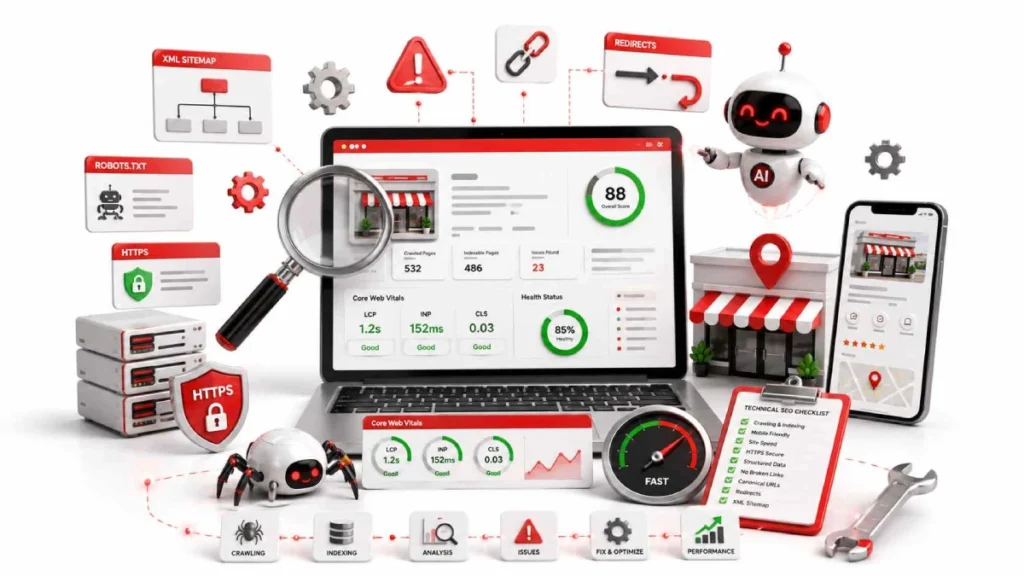
This checklist gives you every step of a local seo technical audit in one place, so you can work through it fast. Print it, save it, or copy it into your project tracker.
Google Business Profile
- Confirm verification and check for soft or hard suspensions.
- Match business name to your real signage.
- Set the correct primary category and 2 to 5 secondary categories.
- Write a 750-character description with services and location.
- Update regular hours, holiday hours, and services list.
- Add attributes like “women-owned” or “wheelchair accessible.”
- Upload 100+ photos of storefront, team, and products.
- Post weekly updates and answer Q&A within 24 hours.
- Find and remove duplicate listings on Google Maps.
NAP and Citations
- Match Name, Address, and Phone across every listing.
- Verify data on aggregators like Data Axle, Foursquare, and Localeze.
- Standardize Tier 1 listings on Yelp, Bing Places, and Apple Business Connect.
- Clean up duplicates and outdated citations.
- Add industry directories like Avvo, Healthgrades, or TripAdvisor.
Technical Website
- Check robots.txt for blocked pages or crawlers.
- Confirm XML sitemap lists only 200 OK URLs.
- Fix indexing errors in Google Search Console.
- Test Core Web Vitals: LCP under 2.5s, INP under 200ms, CLS under 0.1.
- Add sticky “Call Now” or “Book Now” buttons on mobile.
- Fix 404 errors and shorten redirect chains to one hop.
- Enforce HTTPS sitewide and remove mixed content warnings.
- Add self-referencing canonical tags.
On-Page Local Signals
- Add local modifiers to title tags, H1s, and meta descriptions.
- Write 300 to 500 words of unique content per location page.
- Mention landmarks, neighborhoods, and served areas.
- Keep NAP details in crawlable HTML, not images.
- Use clear internal links between location and service pages.
Schema Markup
- Use specific subtypes like “Dentist” or “Plumber” instead of generic LocalBusiness.
- Add PostalAddress, GeoCoordinates, and OpeningHoursSpecification.
- Include a “sameAs” array linking to Yelp, Facebook, and Wikidata.
- Validate code with Google’s Rich Results Test.
Reviews and Off-Page Signals
- Track review volume, rating, and recency across Google, Yelp, and Facebook.
- Reply to reviews within 24 to 48 hours.
- Avoid fake or paid reviews.
- Build local backlinks from chambers, events, and news sites.
- Disavow spammy links from unrelated directories.
Multi-Location and SABs
- Create unique landing pages for every branch.
- Give each location its own GBP and phone number.
- Hide address in GBP for service-area businesses.
- Add “serviceArea” and “areaServed” properties in the schema
FAQs
What is a local SEO technical audit?
A local SEO technical audit is a full review of your business’s online setup across Google’s search and the Map Pack. It checks your Google Business Profile, citations, website, schema, and reviews to fix ranking issues
How much does a local SEO audit cost?
A local SEO audit usually costs between $300 and $2,500, depending on business size and location count. You can also run a basic audit for free using Google Search Console and PageSpeed Insights.
How Often Should You Perform a Local SEO Audit?
Run a local SEO audit every 3 to 6 months to catch issues before they hurt rankings. Also audit after a rebrand, address change, or major Google algorithm update.
Is local SEO still relevant with AI Overviews?
Yes, local SEO matters more than ever. AI Overviews pull data from GBP, schema, and citations. A strong audit helps you rank in both traditional and AI search.
What happens if my NAP is inconsistent?
Inconsistent NAP information confuses Google and reduces trust in your business. Rankings drop in the Map Pack. Fix mismatches on major citations like Yelp and Bing Places.
Why is my business not showing in the Map Pack?
Your business may not appear because of profile suspensions, incorrect categories, or incomplete optimization. Thin content and weak reviews also hurt. Check your GBP status and location page quality.
What tools do I need for a local SEO audit?
You need free tools like Google Search Console and PageSpeed Insights. Paid tools like BrightLocal and Screaming Frog handle deeper audits at scale.
Conclusion:
A local SEO technical audit covers everything from your Google Business Profile and NAP consistency to schema markup, Core Web Vitals, and off-page signals. Each part plays a role in how well your business ranks in the Map Pack and local search results.
Start with quick wins like GBP fixes and citation cleanup, then move into deeper work like schema validation, location pages, and reviews. Avoid common mistakes, prioritize by impact, and repeat the audit every 3 to 6 months to keep rankings strong.
Ready to grow your local visibility? Run your first local SEO technical audit this week and start turning search traffic into real customers.

5 August 2026
How to Create XML Sitemap for Local Business...

5 August 2026