

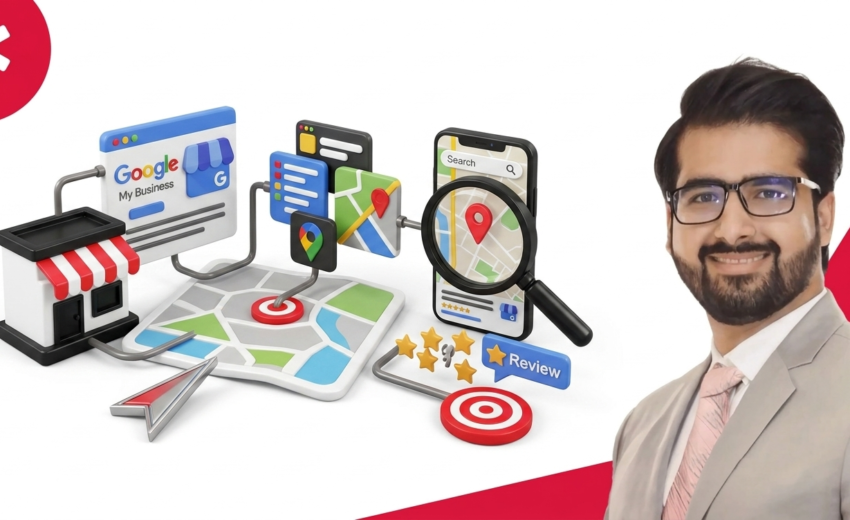
46% of all Google searches have local intent. Most small businesses never show up in those results. Your competitors get those calls, visits, and bookings instead of you. A profile is not enough. Local SEO is a system of signals, reviews, citations, categories, and content. Google reads them all together. One weak signal pulls the rest down.
This guide explains how local SEO works, step by step. You will learn how Google ranks local businesses, what the Local Pack is, and how to fix what is holding you back. Everything is in plain English.
What Is Local SEO?
Local SEO helps businesses show up in search results when nearby customers look for their products or services. It targets people searching in a specific city, neighborhood, or region. These are people ready to visit, call, or buy.
This is not a small share of search traffic. Nearly half of all searches come from people looking for nearby services like a dentist, hardware store, or plumber.
Google does not only look at your website. It treats your business as a real-world entity. It checks your verified address, your operating hours, and your reputation. Your Google Business Profile, listings, and reviews affect your local ranking on Google. The goal is simple: appear when someone nearby is ready to act, before your competitor does.
Why Local SEO Matters for Businesses
Local searchers are not browsing. They are buying. When someone types “emergency plumber near me” or “Italian restaurant open now,” they are not doing research. They are ready to act. The business that shows up first gets the call. 76% of local voice searches lead to a store visit or booking within 24 hours. That is direct, ready-to-convert demand.
Local SEO is an equalizer for small businesses. A well-optimized bakery in Austin can outrank a national chain. Not through a bigger budget. Through better reviews, a complete Google Business Profile, and consistent listings on Yelp, Facebook, and TripAdvisor.
The visibility gap is real. Businesses in the Local Pack receive 126% more traffic than those only below them. Position 1 and position 4 are not close. They exist in completely different visibility categories.
Local SEO also shapes how AI assistants like Siri, Google Assistant, and Alexa answer spoken questions. When someone asks “where is the nearest tire shop,” the answer comes directly from local SEO data. For any business serving a physical area, local SEO is the main channel through which nearby customers find, compare, and choose.
Key Differences Between Local SEO and Traditional SEO
Traditional SEO ranks websites based on content quality and backlinks. Location does not matter. A post about “how to fix a leaky faucet” can rank globally regardless of where you host the site.
Local SEO adds one filter that changes everything: proximity. A well-optimized Denver plumbing company can outrank national sites for “plumber near me” searches in Denver. Geographic relevance beats domain authority in local search.
Factor
In traditional SEO, your website does the work. In local SEO, everything does. Google reads your Yelp listing, Yellow Pages entry, Apple Maps profile, local news mentions, and reviews. All of it shapes where you rank.
How Google Decides Which Local Businesses to Show
Google ranks local businesses using three factors: Relevance, Distance, and Prominence. They work as a group not in isolation. A weakness in one area can be offset by strength in the other two.
Relevance — Does Your Business Match the Search?
Relevance measures how well your profile matches what the searcher wants. The strongest signal is your primary category in Google Business Profile. “Pediatric Dentist” outranks “Dentist” for “children’s dentist near me.” Name specific services in your description: roof repair, gutter installation, storm damage restoration. Generic descriptions give Google nothing to work with.
Review content counts. Phrases like “fixed my transmission same day” or “best deep tissue massage in Seattle” are real-world relevance proof. Google checks your GBP against your website. List emergency electrical services on your profile but leave it off your site and the signal breaks.
The 2024 Google API leak revealed that your business name and category create an “Entity Boundary.” “Smith General Services” listed as a plumber sends mixed signals. “Smith Plumbing and Drain” sends one Google can act on.
Distance — How Close Are You to the Person Searching?
Distance measures the gap between the searcher’s location and your verified business address. Google reads location from GPS on mobile, IP address on desktop, and location words in the query.
The 2021 Vicinity Update ended the advantage of keyword-stuffed names like “Chicago Best Plumber and Drain Cleaning Services LLC.” Those names no longer rank across entire metro areas.
Distance is not absolute. A business with 200 reviews and a fully optimized GBP will outrank a closer competitor with 8 reviews and an incomplete profile. Google calculates distance from the center of your service area. For electricians, carpet cleaners, and mobile pet groomers, there is no single address pin.
Prominence — How Trusted and Well-Known Is Your Business?
Prominence measures how reputable your business is, online and in the real world. It is the factor you control most. Reviews are the most visible signal. Reaching 10 verified reviews triggers a measurable trust boost. A steady 2 reviews per month beats a burst of 20 followed by months of silence.
Local citations across Yelp, Yellow Pages, Angi, and TripAdvisor signal data reliability. A difference as small as “Main St.” versus “Main Street” weakens Google’s confidence. Local backlinks from city newspapers, business journals, and chambers of commerce carry more weight than generic national directory links.
Google’s NavBoost system tracks behavioral signals. Direction requests, call clicks, and the “last longest click” all register as quality indicators. Businesses with real-world visits carry a prominence score that online signals alone cannot match.
The Local Pack vs Local Organic Results
The Local Pack is the top 3 listings with a map, ratings, and hours. It captures 42% of all clicks for local queries. GBP signals account for 32% of Local Pack ranking weight. Reviews account for 20%. Together they control more than half your position in the Pack.
Local organic results sit below the Pack. On-page SEO carries 33% of local organic ranking weight compared to 15% for the Pack. Google Maps runs on its own algorithm and prioritizes proximity over prominence. A business can rank first in Maps because it is the closest. That same business can rank fourth in the Local Pack because competitors have stronger profiles and more reviews.
Common Questions Before You Start
Most business owners ask the same questions before they begin. Clear answers early save time and prevent costly mistakes.
Do I need a website to do local SEO? No, But no website limits how far you can rank. A Google Business Profile alone can place you in the Local Pack. Locksmiths, cleaners, and mobile dog groomers rank in the top 3 with no website. A website gives Google a second source to validate your business and raises your ranking ceiling.
Can I do local SEO myself? Yes. Most foundational tasks need no technical expertise. Any business owner can optimize a GBP, build citations on Yelp, Bing Places, and Apple Maps, and respond to reviews. In competitive categories like personal injury law, HVAC, and real estate, professional help speeds things up.
How much does local SEO cost? Anywhere from $0 to $5,000 per month depending on who does the work. Google Business Profile, Google Search Console, and Bing Places cover the basics at no cost. BrightLocal at $39 per month and Whitespark at $33 per month add citation tracking and rank monitoring. Paid ads stop when the budget stops. Local SEO builds assets that keep working.
Why is my business not showing up on Google Maps? Three causes cover most cases: an unverified profile, inconsistent information, or a guideline violation. Google does not rank unverified profiles. NAP inconsistencies across your website, Yelp, and Facebook suppress your listing. A wrong primary category or a keyword-stuffed business name does the same.
How is local SEO different from Google Ads? Google Ads buys placement. The moment your budget stops, the placement disappears. Local SEO earns organic visibility that holds its position. Organic local results capture roughly 70% of all clicks compared to paid results. Local SEO builds assets: a review profile, citation network, and local backlinks that grow in value over time.
Step 1 — Set Up and Optimize Your Google Business Profile
Your Google Business Profile accounts for 32% of your Local Pack ranking weight. It is the first thing Google reads when deciding whether to show your business in local results. It is also the first thing a potential customer sees before visiting your website.
Think of it as your digital storefront. An incomplete or inaccurate profile does not only hurt your rankings. It sends customers to competitors who filled theirs out in a proper way.
What to Fill In (And What Most Businesses Skip)
Your business name must match exactly what appears on your storefront, website, and directories like Yelp and Facebook. Do not add keywords or city names. Keyword-stuffed names violate Google’s guidelines and get profiles suspended.
Use a local phone number, not a toll-free number. Link your website to the most relevant page, not the homepage. A plumber offering emergency services should link to that page.
Fields most businesses skip:
- Business hours: Google uses hours as a hard filter. Wrong or missing hours can hide your profile from searches.
- Business description: You have 750 characters. The first 250 show without expanding. Name specific services like drain cleaning, pipe repair, and water heater installation. Generic descriptions add no ranking value.
- Services section: Adding services like roof inspection, gutter cleaning, and emergency repair with descriptions gives Google extra relevance data for specific searches.
- Attributes: Details like “wheelchair accessible,” “women-owned,” and “outdoor seating” appear in filtered searches. A user searching “coffee shop with outdoor seating near me” only sees businesses with that attribute enabled.
How to Choose the Right Business Category
Your primary category is the strongest single relevance signal in your Google Business Profile. Be as specific as possible.
“Pediatric Dentist” outperforms “Dentist” for “children’s dentist near me.” “Personal Injury Attorney” outperforms “Lawyer” for “car accident attorney near me.”
You can add up to 9 secondary categories. A roofing company might use “Roofing Contractor” as primary and add “Gutter Cleaning Service,” “Skylight Contractor,” and “Siding Contractor” as secondaries. Each secondary opens an extra set of searches you can appear in.
Your primary category must reflect your core business — not your most profitable service. Mismatched categories reduce your overall relevance and hurt rankings.
Photos, Posts, and Q&A — Why They Matter
Businesses with photos receive 42% more direction requests and 35% more website clicks than those without.
- Photos should number at least 10 to 15, covering your exterior, interior, team, and completed work. Upload on a schedule rather than all at once. Geotagged photos with GPS metadata provide extra location proof to Google.
- Google Posts appear on your profile in search results. Post at least once per week to promote offers, announce services, or share community news. Regular posting signals an active business, which Google rewards with higher placement.
- The Q&A section most businesses overlook.. Populate it yourself with common customer questions like “Do you offer same-day service?” or “Do you serve the downtown area?” These give Google more context and lower friction for customers deciding between options.
Step 2 — Keep Your Business Information Consistent Across the Web
Your business name, address, and phone number form your NAP. Keeping it the same across every platform is a direct local ranking signal. Google checks your NAP across Yelp, Facebook, Apple Maps, and Yellow Pages to verify your business is real. Every difference it finds weakens its confidence and pushes your rankings down.
Directories get updated. Data aggregators push old information. Listings change. Keeping your NAP clean is ongoing work that protects your rankings.
What Is NAP and Why Does It Matter?
NAP stands for Name, Address, and Phone number. Even small differences create real ranking problems. “Main St.” on your website and “Main Street” on Yelp are the same location to you. Google treats them as different data points.
A toll-free number on one platform and a local number on another creates the same conflict. These differences signal unreliable data and push your listing down. Pick one standard format. Use it everywhere without exception.
Where Your Business Information Needs to Match
Start with the highest-priority platforms: your website footer and contact page, Google Business Profile, Facebook Business Page, Apple Maps, and Bing Places. These are what Google checks first and weighs most.
Next, cover major general directories: Yelp, Yellow Pages, Foursquare, and Better Business Bureau. Then move to industry-specific directories. A contractor should be on Angi and HomeAdvisor. A restaurant should appear on TripAdvisor and OpenTable. Healthgrades and Zocdoc should list a medical practice.
Data aggregators like Neustar Localeze, Foursquare, and Data Axle push your business information to hundreds of smaller directories. Getting your NAP correct at the aggregator level fixes dozens of downstream listings at once. Use tools like BrightLocal or Whitespark to audit your citations, flag inconsistencies, and track your citation health over time.
Step 3 — Build Your Local Citations
Local citations are online mentions of your business name, address, and phone number across third-party platforms. Every accurate citation adds another data point Google uses to verify your business is real and located where you say it is. The more consistent citations you have on trusted platforms, the stronger your local authority becomes.
What Are Local Citations?
A local citation is any place online where your business NAP appears. That includes directories, news sites, and community blogs. Citations come in two forms. Structured citations appear on formal directory platforms like Yelp, Yellow Pages, and Angi. Unstructured citations appear in local news articles, blog posts, and community websites.
Both carry weight. Structured citations build foundational authority. Unstructured citations from local news outlets and neighborhood blogs carry growing importance. Google values real-world mentions and that weight keeps rising.
Which Directories Actually Matter?
Start with tier one platforms Google checks directly: Yelp, Facebook, Apple Maps, Bing Places, Foursquare, and Better Business Bureau. These are non-negotiable for every local business.
Then build industry-specific citations. Contractors should be on Angi, HomeAdvisor, and Houzz. Restaurants should appear on TripAdvisor, OpenTable, and Zomato. Medical practices should be on Healthgrades, Zocdoc, and WebMD. Legal professionals should appear on Avvo, FindLaw, and Justia.
Avoid bulk citation services that submit your information to hundreds of low-quality directories. A citation from a trusted local chamber of commerce carries more weight than 50 citations from directories Google does not recognize.
How to Fix Inconsistent or Outdated Listings
Inconsistent citations hurt your rankings. Fixing them is as important as building new ones. Start with a citation audit using tools like BrightLocal, Whitespark, or Moz Local. These scan the web for every place your business appears and flag NAP differences.
Fix tier one platforms first. An incorrect address on Yelp or an old phone number on Apple Maps does more damage than a small difference on a minor directory. Claim each listing and correct the information directly.
For smaller downstream directories, use data aggregators like Neustar Localeze and Data Axle. Submitting correct NAP data to these aggregators pushes accurate information to their entire network at once.
Step 4 — Optimize Your Website for Local Search
Your website is the second most important asset in local SEO after your Google Business Profile. Google checks it to validate everything your GBP claims. A well-optimized website strengthens every other local signal you build. A poorly optimized one creates a ceiling your GBP cannot break through.
How to Use Local Keywords on Your Pages
Local keywords are service and location combinations. They tell Google what you do and where you do it. The most important placement is your H1 and page title. A page titled “Emergency Plumber in Denver” sends a clear relevance signal. A page titled “Our Services” sends nothing useful.
Work local keywords into your meta description, first paragraph, subheadings, and image alt text. Writing about your services in Denver while mentioning Cherry Creek, Capitol Hill, and Highlands captures more search variations than repeating “Denver plumber” across the page.
People search for “dentist near downtown Austin” and “roof repair in North Phoenix,” not just “dentist Austin” or “Phoenix roofer.” Long-tail geographic phrases with neighborhood names capture high-intent searches with less competition.
Your website footer is an overlooked spot. Put your full NAP, a brief service area description, and links to individual location pages there. It places location signals on every page of your site.
How to Create Location Pages That Actually Rank
Location pages target a specific city, neighborhood, or service area. For businesses serving multiple areas, they are a must. A pest control company serving Houston, Sugar Land, and The Woodlands needs a separate page for each area. One generic “service areas” page listing all three in a paragraph does not work.
Each location page must have unique content. Google filters out pages that reuse the same text with only the city name swapped. Write about that specific area. Mention local landmarks, neighborhoods, common local problems, and completed projects in that location.
Every location page needs its own NAP, an embedded Google Map, local customer reviews, and a call to action with a local phone number. A page with 150 words, a stock photo, and a city name in the title is not a location page. Google filters thin location pages out.
What Schema Markup Does for Local SEO
Schema markup is code that tells Google what your business is, where it is, and what it does. Without schema, Google guesses your business details from page content. With schema, you state them directly. Google builds a more accurate picture of your business.
The most important schema type for local businesses is LocalBusiness schema. Include your official business name, full physical address, exact latitude and longitude, operating hours, aggregate star rating, review count, and links to your GBP and social profiles through the sameAs property.
Schema produces rich results in Google Search. Star ratings, opening hours, and price ranges appear in search results. This drives more clicks without changing your ranking position. Use Google’s Rich Results Test tool to validate your schema after setup.
Schema does not boost your ranking. It improves how Google displays your business. More qualified clicks come from the same position.
Step 5 — Build Your Review Profile
Reviews account for 20% of your Local Pack ranking weight. They are the most visible trust signal a potential customer sees before deciding to call you. A strong review profile improves your position in search results and converts more of the traffic those results send you.
How Reviews Affect Local Rankings
Google evaluates four dimensions of your review profile: quantity, average rating, recency, and review content.
Quantity has a specific threshold worth knowing. Reaching 10 verified reviews triggers a measurable trust boost in the local algorithm. Below that number, Google treats many profiles as not fully validated, regardless of other optimization.
Recency matters just as much. A steady 2 new reviews per month beats a burst of 20 reviews followed by months of silence. Google treats review velocity as an activity signal. A profile that stopped getting reviews six months ago looks inactive to the algorithm.
Review content is what most businesses overlook. Google’s AI reads review text for specific service mentions and location references. When a customer writes “best roof repair in Denver” or “fixed our HVAC same day in Scottsdale,” Google treats those phrases as real-world relevance proof.
Your star rating affects click-through rates more than almost any other visible signal. Businesses rated below 4.0 see much lower engagement even when they appear in the Local Pack.
How to Ask for Reviews the Right Way
Ask directly and right after a positive experience. Timing matters. A customer at peak satisfaction is far more likely to leave a review than one contacted a week later.
The most effective channels are direct text messages, follow-up emails, and in-person requests with a QR code linking to your Google review page. Make the process easy. A direct link removes every extra step between intention and completion.
Never offer incentives like discounts, free products, or gift cards in exchange for reviews. This violates Google’s guidelines and can lead to review removal or profile suspension. Never request reviews in bulk from a single device or IP address. Google’s spam detection flags these patterns.
How to Handle Negative Reviews
Respond to every negative review publicly, professionally, and within 24 hours. Your response is not only for the unhappy customer. It is for every potential customer who reads it later.
Keep responses short. Acknowledge the experience, apologize without over-explaining, and offer to resolve the issue offline with a direct contact number or email. Moving the conversation off the public platform prevents further escalation.
Never ignore a negative review. An unanswered complaint signals disengagement to both Google and potential customers. Google factors responsiveness into prominence scoring. Businesses that respond to reviews show higher engagement rates that the algorithm rewards.
Only request removal for reviews that violate Google’s content policies — fake reviews, competitor attacks, or hate speech. A genuine negative experience is not grounds for removal.
Step 6 — Earn Local Backlinks
Ahrefs: How to Get Local BacklinksLocal backlinks are links from websites in your geographic area. They signal to Google that your business has real standing in its community. A single link from a trusted local source carries more ranking weight than dozens of links from generic national directories.
Why Local Links Carry More Weight Than Generic Ones
Google treats a link as a vote of confidence. A local vote carries more geographic authority than a generic one. A link from the Denver Post, the Austin Chamber of Commerce, or a neighborhood community blog tells Google something a generic directory link cannot. It signals that trusted sources in your area recognize your business.
Generic backlinks from national directories like Yellow Pages contribute to your citation profile but do not move the needle on local prominence the way earned local links do.
According to the 2026 Local Search Ranking Factors report, link signals account for 8% of Local Pack ranking weight and 24% of local organic ranking weight. For local organic results, backlinks are the second most influential factor after on-page content.
Practical Ways to Get Local Links as a Small Business
Most small businesses can earn strong local backlinks without a dedicated PR budget:
- Local press coverage. Pitch a business opening, community initiative, or expert opinion to local newspapers and neighborhood news sites. Editorial coverage earns a backlink at no cost.
- Sponsorships. Sponsor community festivals, youth sports leagues, or charity runs. Event websites link back to sponsors and many carry strong local domain authority.
- Local business associations. Join chambers of commerce or industry-specific local groups. Most maintain member directories with links that carry real trust weight with Google.
- Complementary business partnerships. A flooring company and an interior designer serve the same customers. A recommended partners page on both sites builds link value for both businesses.
- Supplier and vendor pages. Get listed as an authorized dealer or installer of brands like Carrier, GAF, or Kohler. These pages carry genuine domain authority and relevant local context.
Earn links through real community involvement. Google rewards businesses embedded in their local area.
Step 7 — Understand Behavioral Signals
Behavioral signals are actions real users take when they interact with your business listing and website. Google monitors these to check whether its results are useful. A business that drives clicks, calls, and direction requests signals to Google that it belongs in its ranking position.
What Behavioral Signals Are and Why Google Uses Them
Google tracks user behavior to ensure rankings reflect real business quality, not only optimized profiles.
- Click-through rate. How often users click your listing when it appears in results. A high CTR tells Google your listing is relevant and worth showing.
- Last longest click. Tracked through Google’s NavBoost system. When a user clicks your result and does not return to search, Google registers it as a quality match. When they bounce back right away, it registers as a poor match.
- Direction requests. High navigation request volume to your address is a direct prominence signal. It confirms people are physically visiting your location.
- Phone call clicks. Calls from your GBP tell Google users found your profile worth acting on.
- Click radius. Google calculates the area where a business receives 50% of its clicks. A wider radius shows a destination business attracting customers from outside its neighborhood.
One signal most businesses miss: Google uses GPS and Chrome data to check whether people who search for a business visit it in person. Real foot traffic builds a prominence score that profile optimization alone cannot match.
How to Improve Yours
The only way to improve behavioral signals that lasts is to give users a real reason to click, call, and visit.
- Improve your listing presentation. A profile with 87 reviews, 4.8 stars, and 15 photos gets more clicks than one with 6 reviews, 3.9 stars, and no photos, regardless of ranking.
- Write a strong business description. The first 250 characters appear in search results. State clearly what you do, where you do it, and what makes you worth contacting. Descriptions like “we are a family-owned business committed to quality” give users no reason to pick you over a competitor.
- Keep your information accurate. Wrong hours are one of the most damaging signal killers. A user who arrives to find you closed will not return. They will leave a negative review. Accurate hours, correct phone numbers, and current service information prevent wasted visits and protect your engagement signals.
- Respond to reviews. Google tracks owner responsiveness as an engagement signal. Businesses that respond show higher interaction rates that feed into prominence scoring.
- Use Google Posts weekly. Active posts give users fresh reasons to engage with your listing. An offer, a project photo, or a community update all drive profile interactions that register as positive behavioral signals.
You cannot fake behavioral signals over time. They reflect how well your business serves its customers. Every genuine improvement adds to stronger signals.
How Long Does Local SEO Take to Work?
Local SEO produces initial results within 30 to 90 days. Meaningful ranking improvements appear between 3 and 6 months. The timeline depends on how competitive your local market is, how well optimized your profile and website are, and how much work you put in.
A new business in a low-competition market moves faster. An established business in a competitive category like personal injury law or HVAC in a major city takes longer.
Months 1 to 3 — Foundation
Claim and verify your Google Business Profile. Standardize your NAP across Yelp, Apple Maps, and Bing Places. Fix existing citation inconsistencies. Set up Google Search Console and track your baseline rankings. Ranking changes may be small, but the foundation drives future growth.
Months 3 to 6 — Early Traction
Google begins to build confidence in your business data. Profiles maintained for 90 or more days appear more often in local results. Reviews accumulate, location pages index, and long-tail traffic starts coming in. Businesses in low to medium competition markets often reach the Local Pack during this window.
Months 6 to 12 — Compounding Growth
This is where local SEO separates from paid advertising. The review profile, citation network, and local backlinks built earlier grow in value. Rankings stabilize and spread across more keyword variations. In competitive categories, stronger engagement helps businesses reach the top 3.
Month 12 and Beyond — Authority
Businesses that maintain this effort for 12 months hold Local Pack positions that are hard for newer competitors to displace. Reviews, citations, backlinks, and an optimized website keep generating visibility with much less effort than the initial buildup required.
Local SEO is not linear. Rankings shift. Algorithm updates like the 2021 Vicinity Update can change positions overnight. A competitor launching an aggressive review campaign can push you down temporarily. These shifts are normal. Execution over 12 months produces results that short-term changes cannot erase.
Local SEO for Different Business Types
Local SEO depends on your business type. A mobile plumber, a multi-office law firm, and an online store with a warehouse each need different strategies.
Service-Area Businesses With No Physical Address
Service-area businesses operate without a public storefront and serve customers at their location. If you work from a home address, hide it in your GBP settings by selecting “I deliver goods and services to my customers” and removing the address field.
Define your service area using up to 20 cities or zip codes and stay within a two-hour driving distance from your base. Without a physical pin, reviews, local backlinks, and on-page content become your main ranking levers.
Businesses With Multiple Locations
Each location needs its own Google Business Profile, its own website location page, and its own citation profile. Create a separate GBP for each location with its own unique NAP, branch-specific photos, local hours, and a direct local phone number.
Build individual location pages using a URL structure like yoursite.com/locations/city-name. Each should have unique content, local reviews, and an embedded Google Map. Search engines treat pages that copy the same content and only swap the city name as duplicate content and filter them out.
Local SEO for E-Commerce
E-commerce businesses benefit from local SEO when they have a physical presence or offer local pickup and delivery. If you have a warehouse or retail location, claim a Google Business Profile and use it to drive walk-in traffic.
If you offer local delivery or same-day pickup, include these details in your GBP description and create location-specific landing pages for every city you serve. Searches like “furniture store with same-day delivery near me” are high-intent queries most e-commerce businesses miss.
Common Local SEO Mistakes to Avoid
Most local SEO problems come from a small set of repeated mistakes that are easy to make and slow to fix.
- Keyword stuffing your business name. Adding cities or services to your GBP name field like “Mike’s Plumbing Best Denver Plumber 24/7” violates Google’s guidelines and is a leading cause of profile suspension.
- Inconsistent NAP. A different phone number on Yelp, an old address on Apple Maps, or a name variation on Facebook all weaken Google’s confidence in your data. Audit citations with BrightLocal or Whitespark on a regular basis.
- Incomplete Google Business Profile. Missing hours, photos, services, or a business description give Google less reason to show your profile. Fill in every section including attributes, products, and Q&A.
- Using a PO Box or virtual office address. Google requires a real, verifiable physical presence. A mail forwarding address or virtual coworking space are grounds for suspension.
- Ignoring reviews. Not asking, not responding, and not monitoring reviews is costly. Reviews account for 20% of Local Pack ranking weight and a stagnant review profile signals inactivity.
- Thin location pages. A page with 150 words, a stock photo, and a swapped city name is not a location page. Google filters these out.
- Treating local SEO as a one-time task. Citations drift, reviews need responses, and competitors keep optimizing. You need consistent monthly maintenance to hold and improve positions.
- Targeting keywords without geographic modifiers. National directories dominate broad terms like “plumber” or “dentist.” Target specific terms like “emergency plumber in Denver” or “family dentist near downtown Scottsdale” instead.
The Best Free Tools for Local SEO
Local SEO does not have to be expensive to be effective. Many free tools can help you improve visibility, track rankings, and attract nearby customers. Here are the best free tools to strengthen your local SEO strategy.
Google Business Profile:
Manage your listing, respond to reviews, post updates, and track calls, direction requests, and website clicks. The built-in Insights dashboard shows how customers find you and what they do next.
Google Search Console:
Shows which keywords drive traffic to your website, flags crawl errors, and tracks page performance in search results. Essential for monitoring local organic rankings over time.
Google Analytics:
Tracks where your traffic comes from and which pages drive the most conversions. Use alongside Search Console for a full picture of local search performance.
Google’s Rich Results Test:
Validates your schema markup and confirms whether Google can read your structured data. Run it after implementing LocalBusiness schema to catch errors.
Google Keyword Planner:
- Identifies search volume for local keyword variations like “emergency plumber Denver” versus “plumber near me.” Helps prioritize which service and location combinations to target first.
- Bing Places for Business:
- The Microsoft equivalent of Google Business Profile. Claiming and optimizing your listing takes under 30 minutes and reaches desktop searchers Google does not capture.
- Yext Listing Scan:
- Runs a free audit across major directories and flags NAP inconsistencies. The scan still provides useful data, even though it encourages users to buy the paid product.
- Whitespark Local Citation Finder:
- Find citation opportunities relevant to your business category and location. The free tier limits daily searches but covers the basics well.
- BrightLocal:
- Offers a 14-day free trial covering citation audits, rank tracking, and review monitoring. Worth running a full audit during the trial period.
Is Local SEO Worth It — And Where Is It Headed?
Local SEO is one of the highest-return investments a small business can make. It builds assets that grow over time. It reaches customers when they are ready to act. It does not stop working when you stop paying.
The Real ROI of Local SEO for Small Businesses
Stop paying for ads and your visibility disappears. Build local SEO assets and they keep working. 46% of all Google searches have local intent. 76% of local voice searches lead to a store visit or booking within 24 hours. 42% of local searchers click on Local Pack results. These customers are ready to buy. They are searching for businesses like yours.
A Google Ads campaign for keywords like “personal injury attorney Los Angeles” or “HVAC repair Chicago” can cost between $50 and $200 per click. Local SEO captures those same searches at no cost per click. A review profile, local backlinks, and a well-optimized location page do not expire the way an ad campaign does.
Voice Search, AI, and What’s Changing in Local Search
Local search is changing faster than at any point since Google Maps launched. Voice queries like “best plumber near me open right now” are replacing typed searches like “plumber Denver.” Google picks 40 to 60 word paragraphs for voice answers. Write tight. Answer one question at a time.
Google’s AI Overviews, ChatGPT, Perplexity, and Apple Intelligence now answer local queries without sending users to a website. Appearing in these answers requires Generative Engine Optimization (GEO). A business with a complete GBP, consistent citations, local news mentions, and clear schema markup is far more likely to appear in an AI-generated answer than one with a thin online presence.
The fundamentals do not change. Relevance, proximity, and prominence remain the core of local search. The platforms reading those signals keep growing.
Start Simple, Stay Consistent
Local SEO is not a single task. It is a system that builds on itself over time. Every business appearing in the top 3 local results today started with an unclaimed profile, inconsistent citations, and no reviews. Ranking businesses and invisible ones often share the same budget and skills. What separates them is consistency.
Start with the foundation. Claim your Google Business Profile, standardize your NAP across Yelp, Apple Maps, and Bing Places, fill in every field, and choose the right primary category. Then keep going. Ask every satisfied customer for a review, fix citation inconsistencies, and add location pages over time.
Businesses that show up earn Google’s trust. Start today with one step. Stay consistent with the next.
FAQs
What is local SEO? Local SEO helps businesses appear in search results when nearby customers search for their products or services. It works through Google Business Profile, local citations, reviews, and location-based website content.
How does local SEO work? Local SEO sends signals to Google that confirm your business is real, relevant, and located where you say it is. Google ranks local businesses using three factors: relevance, distance, and prominence.
How long does local SEO take? Initial results appear within 30 to 90 days. Meaningful improvements come between 3 and 6 months. Competitive categories like HVAC or personal injury law in major cities can take 9 to 12 months.
Do I need a website to do local SEO? No, but not having one limits how far you can rank. A Google Business Profile alone can place you in the Local Pack. A website gives Google a second source to validate your business.
What happens if my business information is inconsistent? Inconsistent NAP data pushes your local rankings down. A different phone number on Yelp or an old address on Apple Maps creates conflicting signals. Google penalizes businesses with unreliable data.
What is the Local Pack? The Local Pack is the top 3 business listings with a map that appears for local queries. It captures 42% of all clicks. Getting in requires a verified GBP, strong reviews, and consistent citations.
Conclusion
Local SEO is a system of connected signals. Google reads those signals to rank businesses when nearby customers are ready to act. It starts with a verified Google Business Profile. It grows through consistent NAP data, genuine reviews, location-optimized content, and local backlinks built through real community presence.
The businesses winning local search do not have the biggest budgets. They built the right foundation. They kept it up. Every review, citation, and optimized page adds to your visibility. Paid advertising cannot build what consistent local SEO builds.
Claim your Google Business Profile today. Standardize your information across every directory. Ask your next satisfied customer for a review. Winning local search visibility takes time. You build it step by step. Consistent work holds it in place.

2 June 2026
What is Local SEO: Complete Beginner’s Guide

2 June 2026