
Google Search Console already has the answer to why your competitor outranks you. You just have not opened it. Most local owners log in once, see “average position 26,” panic, and close the tab. Meanwhile the real problem sits two clicks away. Your best city page may never have been indexed. Every click from Google Maps may be invisible in your reports.
This guide fixes all of it. You will set up your property in 10 minutes, find the exact words locals type before they call, and pull every “near me” search with one filter. You will learn why your position number lies, how to track map clicks that normally vanish, and which five reports to check each month. Plus the small mistakes quietly cost you local traffic.
Key Points:
- Google Search Console is free and shows real search data, not third-party estimates.
- It tracks your website only. Map pack clicks, calls, and directions live in Google Business Profile.
- Use regex filters to pull every “near me” and city query in one view.
- The average position is misleading. It blends rankings across all searcher locations, near and far.
- Add UTM tags to your Business Profile links to capture map traffic Search Console misses.
- Check five reports monthly: Page Indexing, Sitemaps, Core Web Vitals, Manual Actions, and Enhancements.
What Google Search Console Does for a Local Business
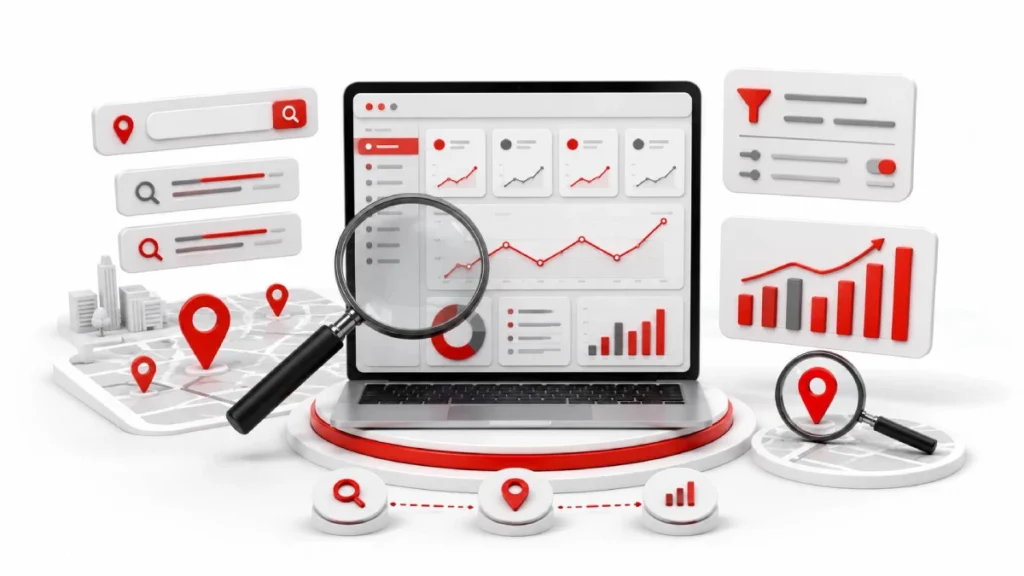
Google Search Console shows you how your website performs in Google’s organic search results. It is free, and the data comes straight from Google. For a local business, it answers one question. Are people nearby finding you?
You see four numbers: impressions, clicks, click-through rate, and average position. It also flags technical problems like blocked pages or broken sitemaps. But it does not track Google Maps rankings. Phone taps, directions, and map views live in Google Business Profile instead.
Say you run a bakery in Frostproof, Florida. Search Console might show 480 impressions for “cupcakes near me” but only 6 clicks. People are searching. Google is showing your page. Your title just is not convincing them.
Setting It Up in Under 10 Minutes
Setup takes three steps: add your property, verify ownership, and submit your sitemap. Do it today, not next month. The tool only collects data from the day you verify. Every week you wait is data you never get back.
Domain Property or URL Prefix
Pick Domain Property. It covers your whole site, including every version of your address. That means http, https, www, and any subdomains like shop.yoursite.com or blog.yoursite.com.
URL Prefix only tracks one exact version. So if you set up https://yoursite.com, you lose all data from the http version. Most local sites end up splitting their numbers across two properties without realising it.
Verifying Your Site and Submitting Your Sitemap
Domain Property uses DNS verification. You copy a TXT record from Google and paste it into your domain registrar, places like GoDaddy, Namecheap, or Cloudflare. Then click Verify.
Next, submit your sitemap. Go to Sitemaps in the left menu, type sitemap.xml, and hit Submit. This tells Google where your service pages and location pages live.One bonus worth knowing. If your Google Business Profile uses the same email as your verified property, Google often skips the postcard or video verification step.
Find the Local Searches Bringing You Customers
Open the Performance report and click the Queries tab. That list shows the exact words people typed before your site appeared. Tick all four boxes at the top: Total Clicks, Total Impressions, Average CTR, and Average Position. Set the range to the last 3 months.
Now scan for local words. City names and phrases like “near me” or “open now” signal buying intent. Our Frostproof bakery might see “cupcakes near me” at 480 impressions but only 6 clicks. That gap is an opportunity, not a failure.
Use Regex to Pull Every Local Query at Once
Regex lets you filter dozens of local terms at once, instead of one at a time. Click + New, choose Query, then pick Custom (regex). Paste your pattern and hit Apply.
Copy-and-Paste Patterns for “Near Me,” Cities, and ZIP Codes
Use (?i)(near me|nearby|open now|directions) to catch urgent local intent. For cities, swap in your own: (?i)(frostproof|lake wales|winter haven). ZIP codes need just \b\d{5}\b.
Separating Branded from Non-Branded Searches
Type your business name plus common misspellings into the box. Set the filter to Doesn’t match regex to see only strangers finding you. That number tells you if your local SEO is actually growing.
Why Your Average Position Looks Wrong
Average position blends your ranking across every searcher, not just people in your town. So you might sit at position 2 in Frostproof and position 50 for someone in Miami. The report averages both and shows you 26.
Three other things skew the number.On desktop, the Knowledge Panel appears on the right side, so Google records it as position 11, after the ten standard organic results. When a map pack appears, the first organic link below it registers as position 4, not 1. And on mobile, many map listings hide the website button behind a second tap, so you get clicks with almost no impressions.
Treat this number as a trend, not a ranking. Watch whether it moves up or down over 90 days. For your true local rank, use a geo-grid tool like Local Falcon or BrightLocal instead.
Track Map Pack Clicks That Search Console Misses

Add UTM tags to the website links in your Google Business Profile. Search Console only tracks links crawled from your site. Clicks from your map listing never appear there.
Edit the website field in your profile. Add this to the end of your URL: ?utm_source=google&utm_medium=organic&utm_campaign=gbpwebsite. Repeat for your appointment and menu links, changing only the campaign name.
Keep it all lowercase. Analytics treats “Organic” and “organic” as two different sources. And leave the medium as organic, not maps, or your tools will read a traffic drop that never happened.
Make Sure Google Has Indexed Your Location Pages
Open the Pages report and check the “Not indexed” list for your city and service pages. A page must be indexed before it can rank. It also cannot show up in AI answers.
What “Crawled — Currently Not Indexed” Means
Google read the page and chose to leave it out. That is a quality judgment, not a technical fault. “Discovered – currently not indexed” indicates a different issue. Google found the URL but has not read it yet.
Testing a Page with URL Inspection
Paste the page URL into the search bar at the top. Click Test Live URL to force a fresh crawl. Then compare the user-declared canonical with the Google-selected canonical. If they differ, Google sees your page as a copy of another one.
Spotting City Pages That Are Too Similar
Programmatic city pages usually fail because only the town name changes. Google calls these doorway pages and skips them. Fix it with local landmarks, real photos of your work, and reviews from customers in that specific city.
Technical Checks Worth Doing Once a Month
Five reports catch most problems early: Page Indexing, Sitemaps, Core Web Vitals, Manual Actions, and Enhancements. Block 20 minutes on the first of each month. Look for new exclusions, soft 404s, and sitemap errors.
Check Manual Actions first. It should read “No issues detected,” and a penalty there kills your rankings until fixed. Then check Core Web Vitals on mobile, since most local searches happen on phones. Enhancements shows errors in your LocalBusiness schema.
What to Do When Your Local Traffic Drops
Use the date comparison filter to find when the drop started. Compare the last 28 days to the 28 before. Then check if it hit your whole site or just a few pages. Rule out the simple causes next. Check Manual Actions for a penalty. Check the Pages report for pages that fell out of the index.
If both look clean, the cause is likely local. A map pin outside your city limits hurts city-name rankings. Or Google added ads and a bigger map pack above you, pushing you down without your ranking changing.
Search Console and AI Overviews in 2026
When your page gets cited in an AI Overview, it counts as an impression, even if nobody clicks. So rising impressions with flat clicks is now normal. It is not always a sign something broke.
Traffic from Google’s AI Mode also lands in your data. It sits under the standard “Web” search type, mixed in with everything else. There is no separate filter for it yet.
The practical shift is what you measure. Clicks alone no longer tell the full story. Track impressions as your visibility number, and watch whether your CTR drops on informational queries while holding steady on “near me” searches.
When You Outgrow the Basics
Two limits will eventually slow you down: 16 months of history and 1,000 rows per report. The row cap hides your long-tail queries, which is often where local conversions come from.
Running several locations? Add a separate URL prefix property for each folder, like yoursite.com/frostproof/ and yoursite.com/bartow/. Now you can compare cities directly instead of guessing which one underperforms.
For a longer history, export your data to BigQuery from Settings, then Bulk Data Export. It only saves data going forward, not backward. Connect Looker Studio afterwards if you want a simple monthly report for clients.
Mistakes That Cost Local Businesses Traffic
Most local traffic problems come from five avoidable errors. Each one is easy to miss and easy to fix.
- Verifying one domain version only. Your data splits across http, https, and www.
- Copy-paste city pages. Google skips these as doorway pages.
- Leftover noindex tags. Live pages disappear from search.
- Robots.txt blocking service folders. Google never crawls those pages.
- Wrong primary GBP category. Your map pack relevance weakens.
One more matter. Judging success by total traffic hides the truth. You can gain visitors from other states while losing customers in your own town. Filter for local queries first.
FAQs
Is Google Search Console free?
Yes, Google Search Console is completely free with no paid tier. Every report, filter, and export costs nothing regardless of your site size or traffic volume.
Does Search Console show my Google Maps rankings?
No, Search Console does not track Google Maps or local pack positions. It only measures organic web results, so map rankings require a geo-grid tool like Local Falcon, BrightLocal, or Whitespark.
How often does Search Console update its data?
Performance data typically appears within 24 to 48 hours. Index coverage and enhancement reports can lag by several days, so avoid judging changes based on the last two days alone.
Can a manual action hurt my local rankings?
Yes, a manual action can remove your pages from search results entirely. Check the Manual Actions report monthly, since the message should read “No issues detected” for a healthy site.
Conclusion:
Google Search Console gives you honest data about how your site performs in local search. Set up a Domain Property, verify it, and submit your sitemap. Then check the Queries tab for city names and “near me” searches, and use regex to pull them all at once.
Remember its limits. Average position blends every searcher location, so treat it as a trend. Map pack clicks never appear unless you add UTM tags to your Business Profile. Run your five technical checks monthly, and compare dates before you panic about a traffic drop.
Open Search Console today and pull your last 3 months of queries. Filter for your city name. Whatever you find there is your starting point.

13 August 2026
How to Set Up Google Analytics for Local...

13 August 2026