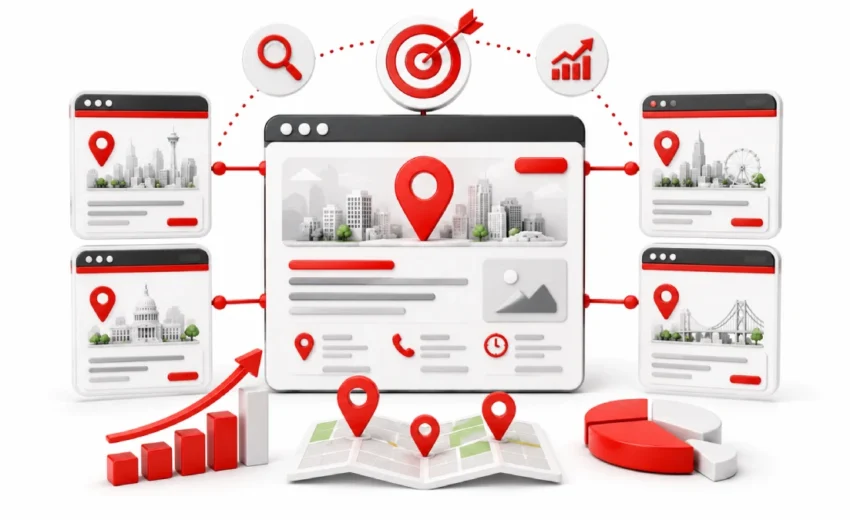
85% of local customers engage with localized pages, not homepages. Yet most local businesses skip location pages SEO entirely and send everyone to one generic page. That one mistake hands your competitors every local search you should be winning.
You add your city name to your homepage. You update your contact page. You wait. Nothing changes. Businesses with no better service than yours rank above you in every city they target. They have dedicated location pages built for each area. You do not.
This guide fixes that. You will learn how to build location pages that rank. You will see what every page must include. You will learn how to avoid penalties and scale across multiple cities.
What Is Location Page SEO?
Location page SEO is the process of creating and optimizing web pages that target specific cities, neighborhoods, or service areas where your business operates.
Each location page focuses on one geographic area. Its purpose is to show Google and local customers that your business serves that area. If you run an HVAC company serving Dallas, Houston, and Austin, you need a separate page for each city. One generic page will not compete in local search.
Google ranks location pages on three inputs: relevance, distance, and prominence. Location pages strengthen relevance. They combine your service with a specific city. According to MomentFeed, 85% of consumer web engagement happens on localized pages, not on homepages.
Why Location Pages Are Important for Local SEO
Location pages connect your business to the cities where your customers search. Local customers are specific. They type “roof repair in Tampa” or “dentist near me.” If you have no page for that city, Google has nothing to match. Your competitors with location pages will show up. You will not.
Location pages go beyond the map pack. The map pack shows only 3 results. It favors businesses close to the searcher. Organic location pages work differently. They can rank in cities where you have no office at all.
For service area businesses, this matters even more. When an SAB hides its address on Google Business Profile, its map pack visibility drops. Sterling Sky research confirms this is a common problem. Optimized location pages fix that gap.
Location Page vs. Doorway Page — What Is the Difference?
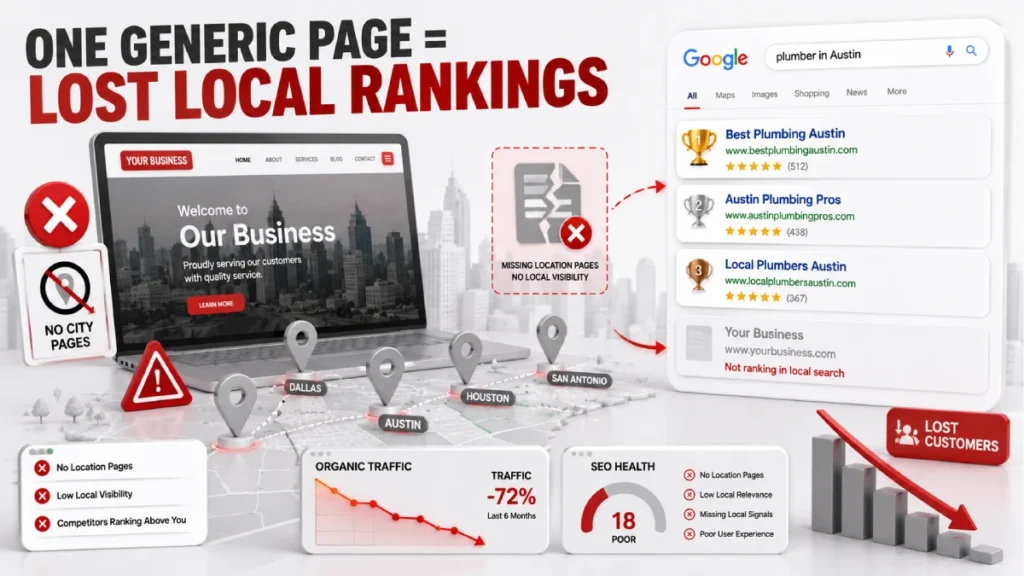
A location page serves a real local user. On the other hand, a doorway page exists only to rank for a keyword.
Google defines doorway pages as pages that target geographic queries but offer no real local value. The most common version is copying one page 50 times and swapping only the city name. Google detects this and removes those pages from search results.
The March 2026 Core Update made this very real. Sites using city swapped templates lost between 60% and 90% of organic traffic overnight. Ask yourself one question. If you removed the city name, would the page still help a local visitor? A real location page would. A doorway page would have nothing left
What Does a Good Location Page Need?
A good location page combines on-page elements, local trust signals, and technical setup. No single element is enough on its own. Great content without schema leaves signals on the table. A perfect technical setup with a generic copy will not rank. Every element below has a specific role.
Clean URL Structure
Keep your URL short. Include the city name or service plus city. For a Phoenix plumbing business, brand.com/locations/phoenix/ works well. Avoid long messy strings like brand.com/plumbing-repair-services-in-phoenix-az-affordable/. They add no ranking benefit.
Title Tag, H1, and Meta Description
Put the target keyword and city name near the start of your title tag. Keep it under 60 characters. Going over causes Google to cut it off in search results. Your H1 should be one tag per page. It should reflect local intent. For example: “Emergency Plumbing Services in Phoenix, AZ.” Write your meta description for that location. Keep it under 160 characters.
Localized Body Content
Your content must be specific to that city. Follow the 50/50 rule. Half the page covers your standard brand information. The other half covers location specific content. Aim for 40% to 60% of copy being different across your location pages. Below that, Google may flag it as near duplicate content.
NAP — Name, Address, and Phone Number
Your business name, address, and phone number must match your Google Business Profile. Formatting matters. If your GBP uses “St.” then every page and every directory listing must use “St.” too. Never put your NAP inside an image. Search engines cannot read text in images.
Google Maps Embed
An embedded map shows Google your geographic relevance. For businesses with a storefront, embed a map with a pin at your address. For service area businesses like plumbers or pest control companies, embed a service area polygon instead. Always use an iframe. A static image sends no geographic signal.
Customer Reviews and Testimonials
Show reviews from customers in that specific city. Reviews that name local staff or reference local neighborhoods carry stronger signals. Pull reviews onto the page directly. Do not just link to your Google profile. Never offer incentives for reviews. That violates Google Business Profile policies.
Clear Call to Action
Every location page needs one clear CTA above the fold. For service businesses like HVAC companies, law firms, or dental practices, the best options are click to call buttons, booking forms, or quote request forms. One CTA works better than many. An excess of choices can reduce conversions.
LocalBusiness Schema Markup
Schema markup tells Google your name, address, coordinates, phone number, and hours. Add it in JSON-LD format. Use specific subtypes. Instead of “LocalBusiness,” use “Plumber,” “Dentist,” or “LegalService.” This sends a stronger entity signal. Validate it using Google’s Rich Results Test before publishing.
Location-Specific Images
Use real photos from that location. Stock photos harm credibility. Use photos of your local team, branded vehicles in that city, or completed jobs in that area. Give every image a descriptive file name and alt text. For example: “phoenix-sewer-repair.jpg” with alt text “Master Flow Plumbing team fixing a sewer line in Phoenix.”
Mobile-Friendliness and Page Speed
Your page must load in under 3 seconds on mobile. Most local searches happen on phones. Use responsive design. Compress all images before uploading. Uncompressed images are the top cause of slow pages. Use a font size of at least 16px for body text.
How to Make Every Location Page Genuinely Unique
A location page is unique when it contains information that only fits that specific city. Follow the 40% to 60% uniqueness rule. More than half of your copy must be unique to that location. Below that, you risk near-duplicate content suppression.
Here are five practical ways to build real uniqueness into every page:
- Local team bios introduce the actual staff member or technician serving that area by name, photo, and background. Do not copy this across pages.
Area specific case studies document real jobs in that city. A roofing company’s Austin page might describe a hail damage repair in the Pflugerville neighborhood. - Location specific FAQs answer questions that differ city to city. A Denver plumbing page might answer, “Do Denver homes need pipe insulation for winter freezes?” That answer does not work on a Miami page.
- Community involvement documents real local relationships like sponsorships of youth sports teams or memberships in organizations like the Greater Phoenix Chamber of Commerce.
- Local landmark references weave recognizable neighborhoods and geographic features into the copy, signaling genuine local knowledge to both users and search engines.
A template provides a solid starting point. The problem starts when the template becomes the whole page.
Location Pages for Service Area Businesses
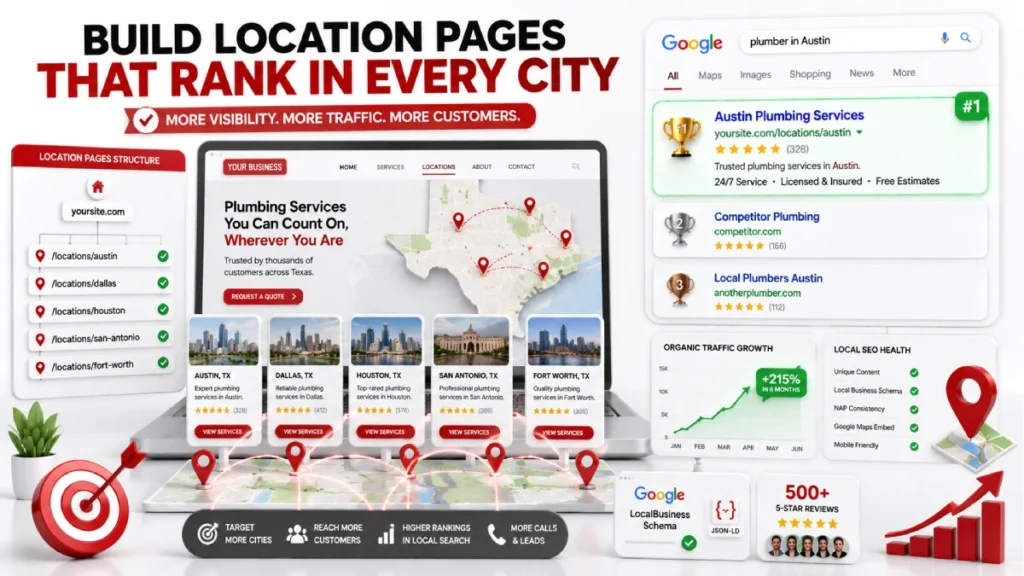
Service area businesses like plumbers, electricians, and home health aides need location pages more than most. SABs travel to the customer. They have no storefront in the cities they serve. Google requires them to hide their home address on GBP. Sterling Sky research confirms this causes a drop in local map visibility. Optimized location pages recover that visibility.
Focus city pages on areas your business serves. Follow the two hour proximity rule. Do not target cities more than two hours from your base. Google Business Profile lets SABs list up to 20 service areas by city or postal code. Your pages should match those areas.
Without a physical address, build credibility through other signals. Feature the technician covering that area by name and photo. Show real completed jobs in that city. Embed a service area polygon map. Display reviews from local customers. Keep one Google Business Profile. Use location pages on your website to cover different cities.
How to Build Location Pages at Scale
Building location pages at scale means creating optimized pages for multiple cities without producing duplicate content or creating a disorganized site structure.
Most multi-location businesses struggle when they expand without a clear plan. Pages get built, rankings never come, and the site ends up with dozens of thin orphaned pages doing more harm than good.
Plan Your Site Architecture Before You Build
Use a subdirectory structure. Brand.com/locations/city/ keeps all pages under your main domain. Every page then benefits from your root domain authority. Subdomains like city.brand.com/ and microsites like brandcity.com both fragment that authority. For businesses in multiple states, use a nested structure like brand.com/locations/texas/houston/.
Decide Which Cities to Target First
Start where you already have customers, reviews, or completed jobs. In niches like legal services and home services, smaller suburbs rank faster than major metros. Scottsdale ranks faster than Phoenix. Evanston ranks faster than Chicago. Use Semrush or Ahrefs and target cities with keyword difficulty scores between 0% and 49%.
Internal Linking for Location Pages
Location pages with no internal links are invisible to search engines. Place a master locations index in your main navigation and link every city page back to it. Add a nearby locations module on each city page linking to 3 or 4 neighboring cities. Insert location links naturally within relevant service pages as well.
Programmatic vs. Hand-Built Location Pages
Hand built pages work well up to 15 or 20 cities. Beyond that, programmatic SEO scales faster using database driven templates. The March 2026 Core Update penalized basic city swapped templates. Affected pages lost between 60% and 90% of organic traffic. Programmatic pages that survived pulled from real data layers. This included localized pricing, regional service details, and first party business data.
How to Choose Keywords for Each Location Page
Location page keywords combine your core service with a specific city or geographic modifier.Using generic keywords like “plumber” or “dentist” makes it harder to reach the right audience. Local customers use specific phrases. They type “drain cleaning in Austin” or “emergency dentist in Denver.” These geo-modified keywords are the base of every location page strategy.
How to build your keyword list:
- List every service you offer. A plumber might list drain cleaning, pipe repair, water heater install, and sewer replacement. Each service plus a city name becomes a keyword target.
- Use Semrush or Ahrefs. Apply location filters to find keywords with your target city or neighborhood.
- Focus on difficulty scores between 0% and 49%. These are reachable without high domain authority.
- Start with smaller suburbs before major metros. Competition is lower and results come faster.
Where to place your primary keyword:
- URL, title tag, and H1
- First paragraph of body content
- At least one subheading
- Image alt text and file name
- LocalBusiness schema markup
One rule: one primary keyword per page. Two pages targeting “plumber in Phoenix” compete against each other. That splits your ranking signals and weakens both pages.
How to Measure Location Page Performance
Measure location page performance by tracking organic traffic, local rankings, and conversions for each city page separately. Mixing all location pages into one report hides which pages are working. Use these four tools:
- Google Analytics 4 tracks organic sessions, bounce rates, and conversions by city. Segment reports by target city to see how each page performs on its own.
- Google Search Console shows impressions, clicks, and average ranking positions per page. Pages with high impressions but low clicks need a better title tag or meta description.
- Google Business Profile Dashboard tracks click to call counts, direction requests, and page clicks from local search. Add UTM parameters to your GBP link to isolate this traffic in GA4: brand.com/locations/phoenix/?utm_source=google&utm_medium=organic&utm_campaign=gbp-phoenix
- Geo-grid tools like Local Falcon or BrightLocal measure rankings from precise coordinate points across a city. Standard rank trackers measure from one static point and miss how rankings vary across neighborhoods.
Signs a page needs attention:
- Google indexes the page, but it receives no organic traffic after 90 days.
- Click through rate below 2% in Search Console
- Rankings stuck between positions 11 and 20
- Traffic arriving but no calls, form fills, or direction requests
Location Page SEO Checklist
Use this checklist every time you build or audit a location page.
Content Quality
- URL includes city name or service plus city combination
- Title tag contains target keyword and location within 60 characters
- Single H1 tag reflecting local search intent naturally
- Meta description is unique, location specific, and under 160 characters
- Body content is 40% to 60% unique compared to other location pages
- Location specific FAQs included addressing real local concerns
- Real project examples or case studies from that city included
- No city swapped boilerplate copy used anywhere on the page
Trust and Local Signals
- NAP visible on page and matches Google Business Profile exactly
- Google Maps embed included using iframe not a static image
- Reviews from customers in that specific city displayed on page
- Local team member name and photo featured
- Location specific images used with descriptive file names and alt text
- Clear single CTA placed above the fold
- Click to call button enabled for mobile users
Technical and Measurement
- LocalBusiness schema markup added and validated in Google Rich Results Test
- Self referencing canonical tag set on the page
- Page included in a dedicated locations XML sitemap
- Page confirmed as indexed in Google Search Console
- Internal links pointing to this page from service pages and locations index
- Nearby location links added pointing to 3 or 4 neighboring city pages
- Mobile friendly and passes Core Web Vitals thresholds
- Page load time under 3 seconds on mobile
- UTM parameters added to GBP website link for traffic isolation in GA4
Common Location Page SEO Mistakes to Avoid
Most location pages fail because of a small number of repeated mistakes that are easy to make and hard to recover from.
- Copying content and swapping only the city name. Google catches this fast. The March 2026 Core Update caused sites doing this to lose 60% to 90% of organic traffic overnight.
- Building pages for cities with no real connection. Pages for cities you have never served violate Google’s doorway page guidelines.
- Inconsistent NAP. If your GBP says “Street” but your pages say “St.” your local trust signals weaken.
- Orphaned location pages. No internal links means search engines cannot find the page. Every location page needs at least one link pointing to it.
- Same title tag on every page. Repeated templates look low quality in search results. Click through rates suffer.
- Building too many pages too fast. Hundreds of pages without unique content triggers quality filters. Build in batches.
- Not checking indexation. An unindexed page cannot rank. Check Google Search Console often.
- Fake or unverified addresses. Virtual offices and P.O. boxes used to fake a local presence violate Google’s guidelines and can lead to GBP suspensions.
FAQs
What is a location page in SEO?
A location page is a web page built to rank for searches in a specific city or service area. It matches your service with a geographic target the way local customers actually search.
How many location pages does my website need?
You need one page for every city or service area you actively serve. Never create pages for cities where you have no real customers or local content.
What is the difference between a location page and a doorway page?
A location page provides genuine local value. A doorway page exists only to rank for a geographic keyword with nothing unique beyond a swapped city name.
What happens if I copy the same content across all my location pages?
Google suppresses those pages from search results. The March 2026 Core Update caused sites using city swapped templates to lose between 60% and 90% of organic traffic overnight.
How long does a location page take to rank?
Most location pages take between 3 and 6 months to rank. Pages targeting smaller suburbs rank faster than major metros like New York or Los Angeles.
Do I need a Google Business Profile for every location?
You need one GBP per physical business location, not one per location page. Service area businesses maintain a single GBP profile regardless of how many city pages they build.
Conclusion
Location pages are one of the most direct ways to connect your business to local customers. Each page targets a specific city, gives Google the signals it needs, and gives visitors a reason to choose you. The basics stay the same: clean URL, unique local content, consistent NAP, embedded map, local reviews, schema markup, and a clear CTA.
Scaling adds complexity but the core principles do not change. Build on a subdirectory structure. Prioritize cities where you have traction. Link every page into your site. Keep content unique to each location. Measure each page on its own and optimize weak ones before expanding further.
One well optimized location page beats ten thin ones every time. Start with one city you already serve. Use the checklist in this guide. Build city by city from there. Every page you get right is one more local search your competitors cannot take from you.
Ready to start building location pages that actually rank? Pick one city you already serve, build one page using this guide, and get it right before moving to the next.
1 July 2026