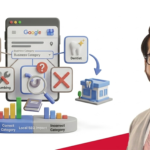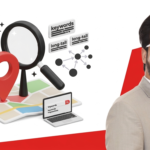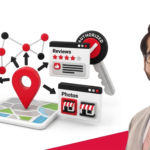

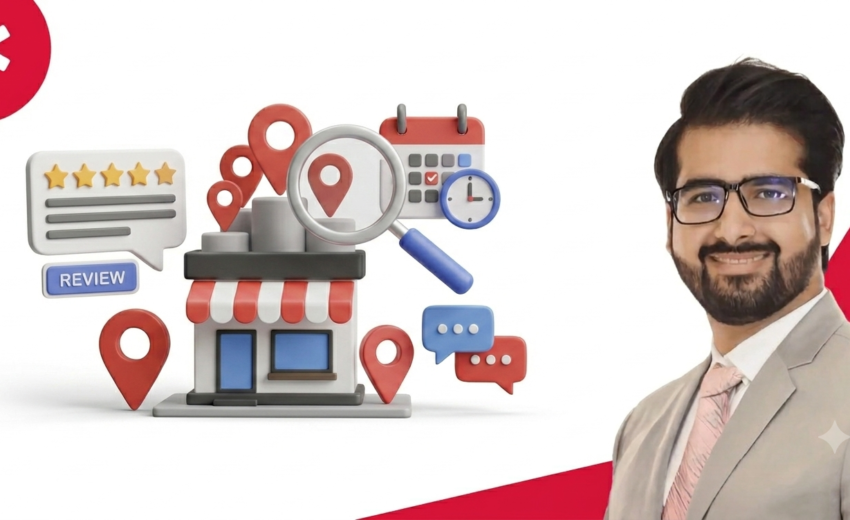

Google Business Profile optimization is a key factor in local SEO performance. It controls how your business appears in Google Search and Maps. It shows your name, location, hours, reviews, and services to nearby users. GBP optimization means improving each part of your profile for better visibility. This includes categories, keywords, photos, reviews, and regular updates.
It also connects with ranking signals like relevance, distance, and prominence. Local businesses and service providers use it to attract nearby customers. It helps increase calls, visits, and trust without paid ads. Strong profiles often appear in local pack and map results.
In this article, you will learn how to optimize each section step by step. You will also learn practical ways to improve rankings and engagement. By the end, you will know how to turn your profile into a steady traffic source.
What Is a Google Business Profile and Why Is It Important?
A Google Business Profile controls how your business appears in search. It shows your name, address, phone, hours, photos, and reviews. Users get key details without visiting your website. This increases calls, visits, and direction requests.
Local demand makes this critical. 46% of searches have local intent, and most users rely on Google Search for local discovery, while a large share also uses Google Maps for navigation and business finding.Around 60% of searches end without a click. Users act directly from the profile. A complete profile increases trust, visibility, and conversions.
What Is the Local Pack and Why Is It Important?
The Local Pack shows three businesses at the top of Google results. It includes the name, rating, address, hours, and a call button all linked to a map.
The Local Pack appears in 93% of local searches.The Local Pack captures around 42% of all clicks on local search results pages. The top three listings in the Local Pack get significantly more traffic and actions. Mobile users often choose from these results without scrolling further. 68% of users trust Local Pack listings, compared to 27% for organic results.Ranking in the Local Pack directly increases leads and customer conversions.
How Google Ranks Local Businesses
Google ranks local businesses using three main factors: relevance, proximity, and prominence.These signals decide which Google Business Profile appears in Google Search and Maps. Google handles billions of local searches each month. 76% of people who search for something nearby on a mobile device visit a business within 24 hours. (Think with Google)
Relevance
Relevance means how well your business matches a user’s search. Google checks your business categories, services, and keywords. It uses this information to understand what you offer. A better match increases your chances of showing in search results. Clear and complete profile details improve relevance and visibility.
Proximity
Prominence means how well-known and trusted your business is online. Google checks reviews, backlinks, citations, and brand mentions. Brands like McDonald’s, KFC, and Domino’s Pizza rank higher due to strong authority signals. Businesses with more positive reviews and a strong online presence achieve better Google Business ranking.
Prominence
Prominence means how well-known and trusted your business is online. Google checks reviews, backlinks, citations, and brand mentions. Brands like McDonald’s, KFC, and Domino’s Pizza rank higher due to strong authority signals. Businesses with more positive reviews and a strong online presence achieve better local rankings.
How to Claim, Create, and Verify Your Profile
You can claim and set up your profile in three simple steps. First, search your business name on Google. If it already exists, click “Own this business?” to start. Next, follow the steps to confirm you own or manage the business. Then verify your profile. Google verifies businesses using a postcard, phone call, email, or video. Postcards take 5 to 14 days. Video verification is often faster. Verified profiles get more visibility and trust in search results.
Do you serve customers at their location? For example: plumbers, cleaners, or mobile repair services. In that case, hide your address and set your service areas instead. Add cities or postal codes where you work. Keep your categories and services accurate.
How to Fully Optimize Your Google Business Profile
Complete profiles send stronger signals to Google. Customers are 2.7 times more likely to consider a business reputable if they find a complete Google Business Profile on Search and Maps.
Business Name: Use your real business name only. Do not add extra keywords. For example, “City Dental Clinic” follows the correct naming format. Keyword stuffing can lead to profile suspension.
Categories: Choose one primary category and up to two secondary ones. Pick the most specific option first. For example, a dentist might choose “Dentist” as primary, then “Cosmetic Dentist” and “Emergency Dentist” as secondary.
Business Description: Write clearly using your real services and keywords. Focus on what you offer and where you serve customers. This is a core part of Google Business Profile best practices mentioning services like “teeth whitening, root canal treatment, and dental implants.”
Contact Details: Provide accurate hours, phone number, website, and address. Wrong details reduce trust and hurt rankings. Keep this information the same across all platforms.
Products and Services: Add detailed listings for what you offer. This helps Google understand your business. For example, “AC repair, installation service, and maintenance plans” targets specific searches. This is essential for Google local business listing optimization.
Business Attributes: Highlight key features like “wheelchair accessible,” “free Wi-Fi,” or “home delivery.” GBP attributes help users make quick decisions.
NAP Consistency: Your Name, Address, and Phone number must be identical everywhere. This includes Google, Facebook, Yelp, and all directories. Inconsistent details confuse Google and hurt your rankings.
How to Build a Review Strategy
Reviews directly affect rankings, trust, and conversions. Businesses with a 4.0+ rating earn up to 2x more clicks. Ask for reviews after every service. Send a follow-up message using SMS, email, or a QR code to make it easy. Stay consistent: a steady flow of reviews matters more than a big burst. Profiles with regular, detailed, high-rated reviews perform best.
Respond to every positive review with a personalized message. Mention the service and thank the customer clearly. Handle negative reviews calmly. Offer a clear solution, avoid defensive language, and move the conversation offline if needed. For fake or spam reviews flag irrelevant comments, competitor attacks, or duplicate posts directly through Google’s review system.
How to Use Google Posts and Q&A
Regular posts and Q&A activity tell Google your profile is active and trustworthy. Updated profiles can increase user actions by over 30%.Post at least once a week. Share updates, offers, and service highlights. Include keywords, images, and a clear call to action.
For example: “Book AC repair today gets 20% off.” Add common questions and clear answers to the Q&A section before customers ask. For example: “Do you offer home service?” or “What areas do you cover?” Keep answers short and direct. This builds trust and helps users decide faster.
Google Business Profile messaging is another feature worth enabling. It lets customers contact you directly from your profile, which increases engagement and response speed.
Photos and Videos
Visual content improves click-through rates and signals engagement to Google.Businesses with photos get 42% more direction requests and 35% more website clicks. Upload multiple photo types. Include exterior and interior shots, team photos, product images, and completed work.
Before-and-after photos and service process images increase confidence. Upload new photos and videos every 7 days. Fresh uploads show Google your business is active. Avoid stock images and blurry photos. Use videos too service demonstrations, customer testimonials, and behind-the-scenes clips improve engagement and trust.
How Your Website and GBP Work Together
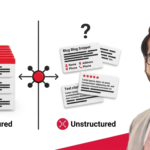
Your website and GBP work as a team. Google uses both to confirm your business identity and build trust. Add Local Business schema markup to your website. This structured data tells Google your name, address, phone number, and services. It increases the chance of rich results in search and reduces conflicts between your site and your profile. Embed a Google Map on your website too. This connects your site to your Maps location, reinforces consistency, and helps users find directions faster.
Build local citations by listing your business on trusted directories like Yelp and Yellow Pages. Keep your Name, Address, and Phone number identical across all listings. This strengthens your authority and improves local listing SEO performance. Google listing optimization works best when your website, citations, and profile all reinforce the same information.
How to Read GBP Insights and Act on the Data
GBP analytics show how customers find and interact with your profile. Key metrics include views, searches, calls, and direction requests. High calls and direction requests mean strong local intent. Low engagement usually points to weak categories, poor content, or low visibility.
Check the search query data too. See the exact terms people use to find you. Update your services, description, and posts based on those terms. Using real search queries improves relevance and helps you rank higher in local search optimization.
Common Mistakes That Hurt Your Rankings
Most ranking drops come from avoidable errors inside your Google Business Profile. These mistakes reduce trust, visibility, and local search performance. Fixing them often improves rankings quickly.
Keyword Stuffing Your Business Name
Keyword stuffing means adding extra keywords instead of using your real business name. This violates Google guidelines and can reduce rankings or cause suspension. For example, names like “Best AC Repair Fast Service Lahore” weaken trust and credibility.
A clean and accurate business name improves authority and consistency. Google prefers real-world names that match official records.
Leaving Your Profile Incomplete or Outdated
An incomplete or outdated profile reduces visibility and trust. Missing hours, services, or contact details confuse users and Google. For example, outdated listings for clinics, salons, and restaurants often lose rankings.
Regular updates keep your profile active and competitive. Fresh data signals reliability and improves engagement.
Ignoring the Q&A Section
Ignoring the Q&A section allows incorrect or user-generated answers to appear. This reduces control over your business information. For example, unanswered questions about pricing or services can mislead customers.
Actively managing Q&A improves clarity and supports better rankings. It also helps capture long-tail searches.
Having Duplicate Listings Without Knowing It
Duplicate listings divide ranking signals and create confusion for Google. This weakens Google business visibility in local search results. Removing or merging duplicates strengthens your main profile and consolidates reviews and authority.
Never Responding to Reviews
Not responding to reviews reduces engagement and trust signals. Google uses activity as a ranking factor. For example, ignoring feedback for restaurants, repair shops, or clinics lowers confidence. Responding to reviews improves credibility and user interaction. It also strengthens your local SEO signals.
Inconsistent NAP Across the Web
Inconsistent Name, Address, and Phone details weaken ranking signals. Google verifies this data across multiple platforms. Consistent NAP improves authority and strengthens local business optimization performance.
Behaviors That Can Get Your Profile Suspended
Certain actions can lead to suspension of your profile. This includes fake engagement, keyword stuffing, or misleading information. For example, using false locations or spam tactics can remove your listing from search results. Following Google guidelines keeps your profile safe and stable. Compliance is essential for long-term visibility.
Competitor Spam Tactics You Should Know About and How to Report Them
Some competitors use spam tactics that distort rankings. This includes fake listings, duplicate profiles, or manipulated reviews. For example, You can report these violations using Google support tools.
Reporting spam protects fair competition and keeps search results accurate. It also supports a healthier local search ecosystem.
Google Business Profile Optimization Checklist
A complete optimization checklist keeps your Google Business Profile strong. It helps you stay visible in Google Search and Maps. It also builds trust and improves performance over time.
One-time setup tasks are things you do once when setting up your profile. First, claim and verify your profile. Then add your real business name, category, address, phone number, and website. Set your service areas if you serve customers at their location. List all your services and products. Add business attributes. Upload at least 10 high-quality photos.
Ongoing monthly tasks keep your profile active and competitive. Upload new photos and videos every week.Share updates at least once a week. Respond to both positive and negative reviews.Review and update your Q&A section on a regular basis. Check your insights for calls, direction requests, and search queries. Fix any outdated details as soon as you spot them.
FAQs
How long does it take to see results after optimizing my Google Business Profile?
You usually see results in 2 to 6 weeks. Google needs time to process changes in relevance and engagement. Speed depends on competition and consistency.
Can I rank in nearby cities if my business is only in one location?
Yes, but only in nearby areas and limited cases. Google prioritizes proximity to the searcher. Strong profiles may appear in close regions for service queries.
Why is my Google Business Profile not appearing on Google Maps?
It may be due to verification issues, low relevance, or guideline violations. Incomplete data or low activity can also hide your listing. Google may also filter new or duplicate profiles.
Does having a website affect how my GBP ranks?
Yes, it improves rankings and trust. A website strengthens authority and relevance signals. It also helps Google confirm your business.
Is Google Business Profile enough on its own or do I need more?
It is not enough on its own for strong rankings. You also need a website, citations, and reviews. Combined signals improve visibility and stability.
Conclusion
A well-optimized Google Business Profile improves local SEO visibility and attracts nearby customers. It increases calls, visits, and trust. Key elements include categories, reviews, photos, posts, and accurate details. Rankings are based on relevance, proximity, and prominence.
To get strong results, keep your profile updated and active. Manage reviews and fix common mistakes. Support it with a website, citations, and local SEO signals. Google Maps optimization and consistent business listing optimization together turn your profile into a steady source of traffic and leads. Start optimizing your profile today to increase your local rankings and get more customers.